
Part of Understanding the Header, When and Then Sections of a Rule in Webgility i.
The When section
The When section holds the rule's condition: which orders the rule is for. Point to the info icon next to When to read how a rule matches.
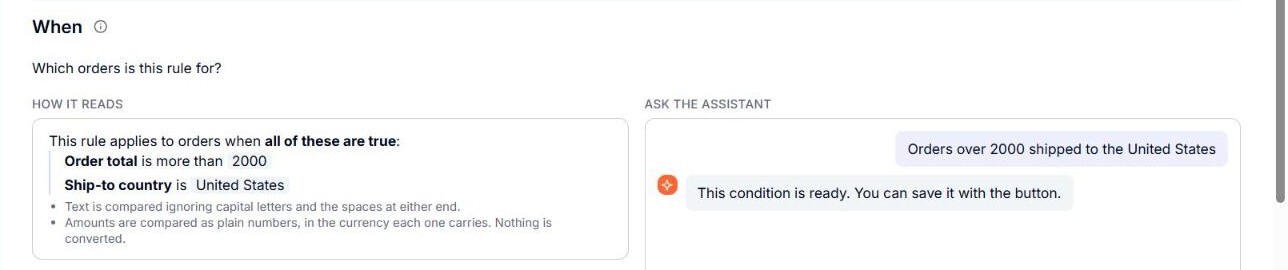
- Ask the assistant: the box where you describe, in your own words, which orders the rule is for, for example "Orders over 2000 shipped to the United States". The assistant sets the condition. See How to Use AI Assistance to Set Up Rule Conditions.
- How it reads: the condition the assistant set, for example "This rule applies to orders when all of these are true: Order total is more than 2000, Ship-to country is United States". It is the condition exactly as Webgility i will check it. Until a condition is set, it says Nothing is set yet.
- Name in the list: the name the rule shows on the Workflows page. Leave it empty and it is filled from the condition when you save.
Note: When the order of your rules affects this rule, a Heads-up: the order of your rules. note shows at the end of the When section. See How to Change the Priority (Rank) of Your Rules.