
Overview
If an order was deleted from QuickBooks and Webgility still marks it as synced, you may not be able to undo the sync or download it again. Delete the order from Webgility, then download it again from your sales channel by order ID and post it to QuickBooks.
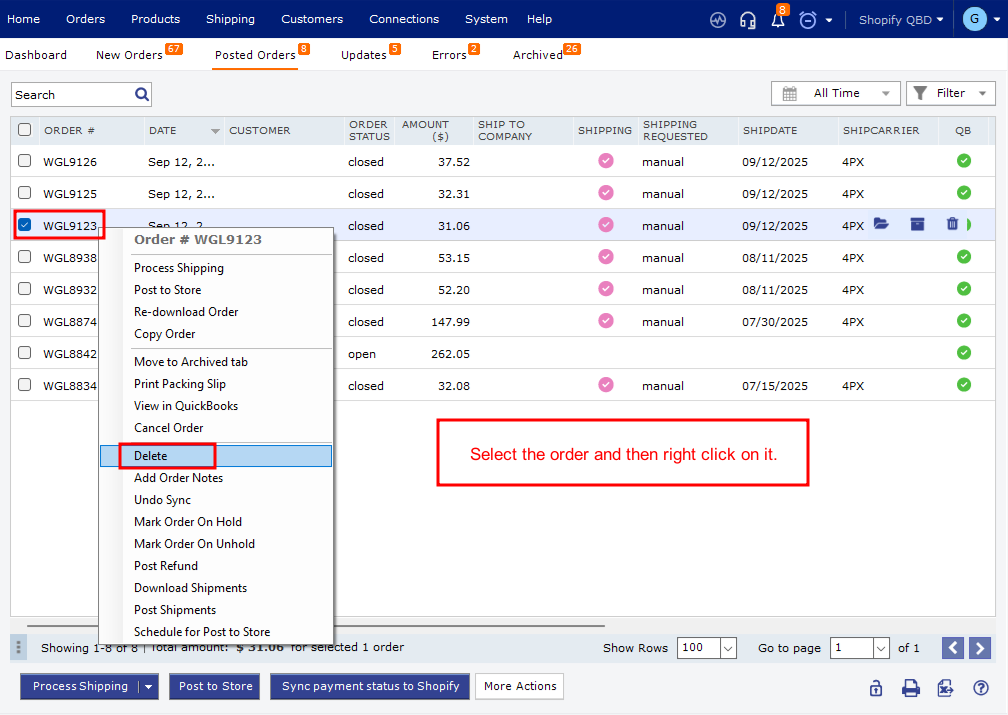
Steps- In Webgility Desktop, delete the affected order and permanently remove it from the Trash. See How to Permanently Delete Orders in Webgility Desktop.
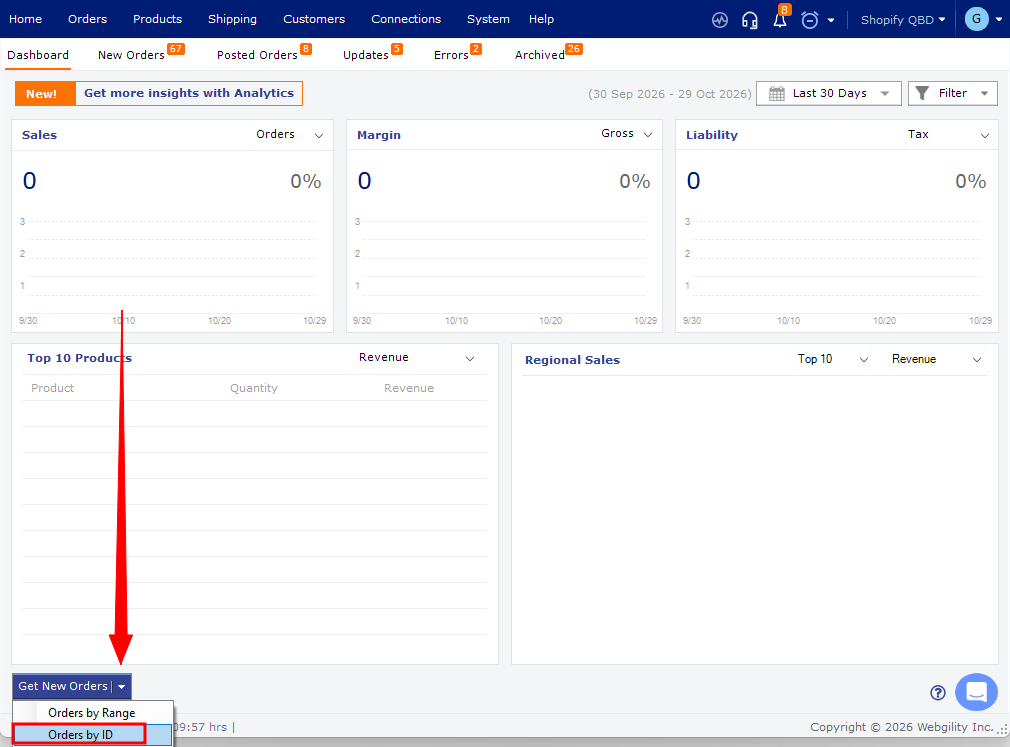
- Download the order by ID. See Download Orders By ID. The order ID may differ from the order number shown in your sales channel.
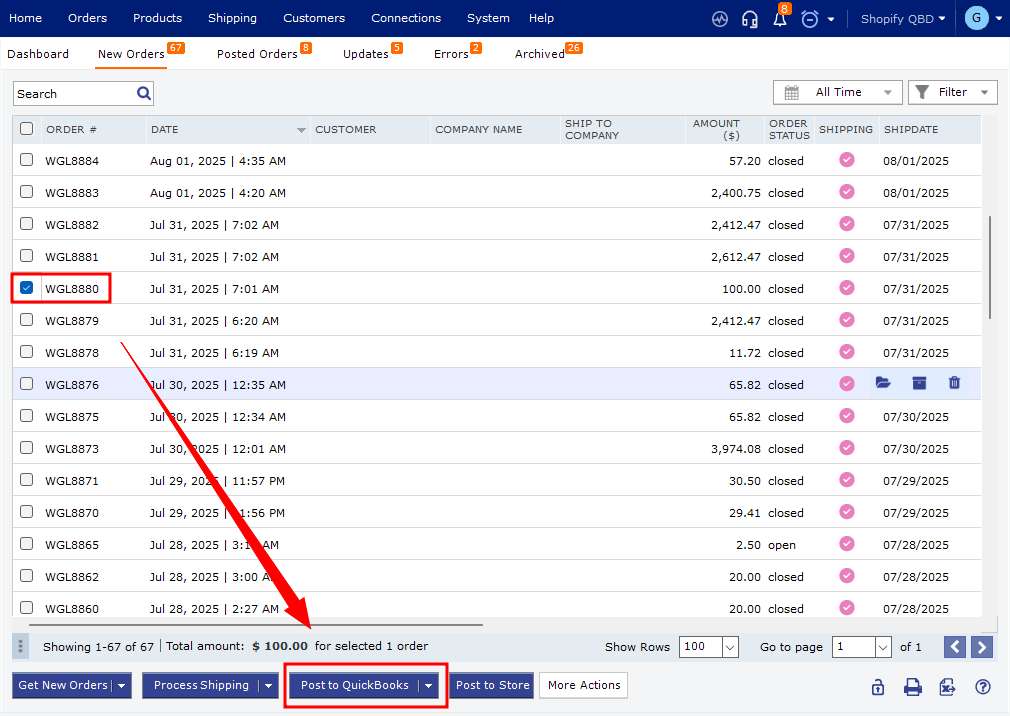
- Post the downloaded order to QuickBooks. See How to Post Orders to Your Accounting Solution with Webgility Desktop.
If you have any questions or need more help, please contact our support team.