
Overview
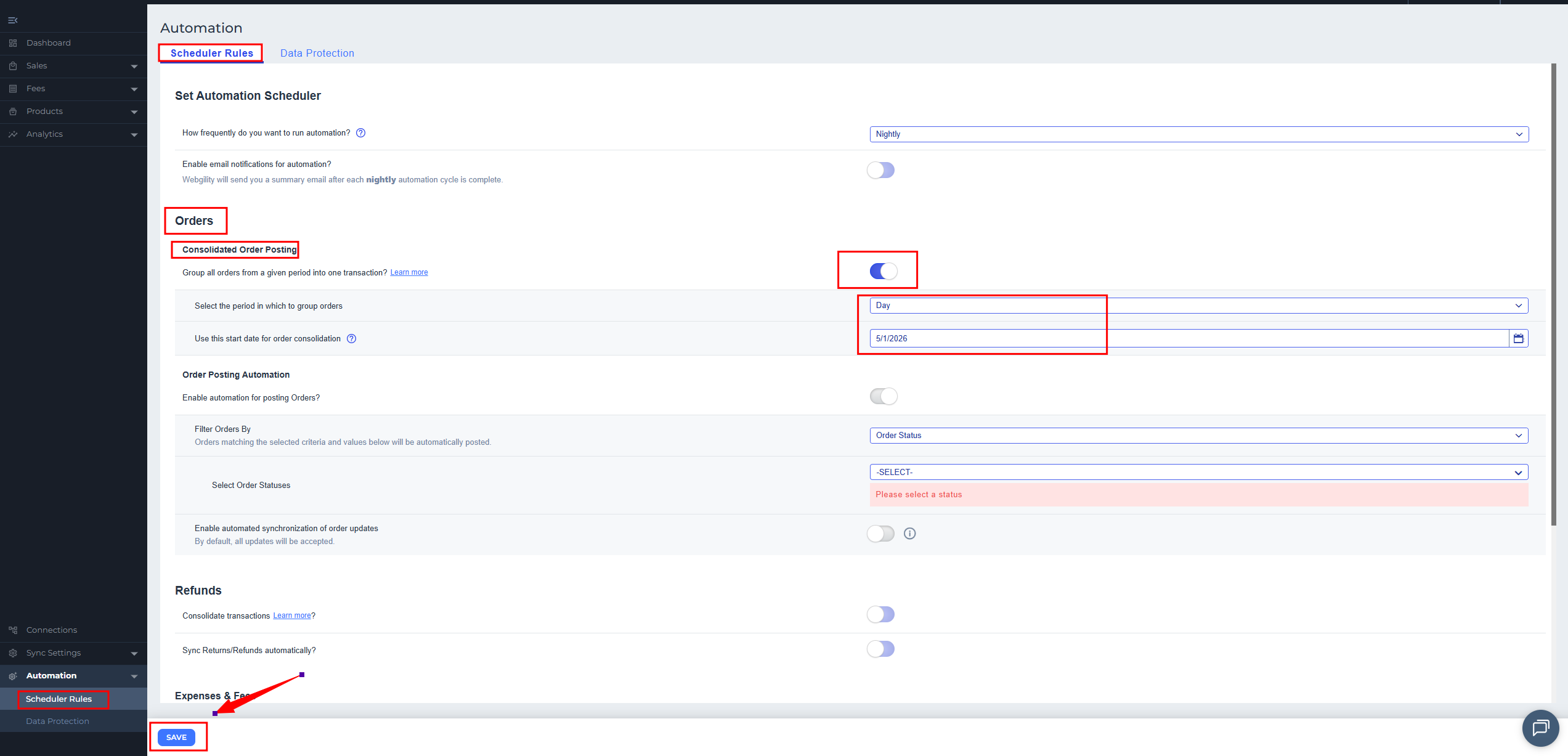
In this scenario, Etsy orders may fail to post to QuickBooks Online with a QBReprocessedOrder: The operation has timed out error after consolidated posting is enabled.
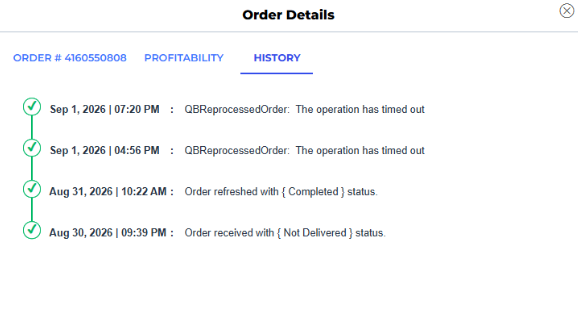
This can occur when the customer data in Webgility Online is not up to date with QuickBooks Online. Refreshing the customer data from scratch can update the records required for consolidated posting.
For more information about consolidated posting, see Overview of Consolidated Sync in Webgility Online.
- In Webgility Online, go to Sync Settings > Products.
- Select the Customers tab.
- From the refresh options, select Download from Scratch.
- Click Refresh Settings to start the download.
- Wait for the process to complete. Depending on the amount of data in QuickBooks Online, this may take several minutes.
For detailed instructions, see Download the Latest Data from QuickBooks and Your Online Sales Channel in Webgility Online.
Once the customer data refresh is complete, wait for the automation to run. Depending on its frequency, check after 15-20 minutes, or the next day if it runs overnight, to confirm orders are posting in consolidation batches.
If the orders still fail and the error indicates that a product is missing or cannot be matched, review the product mapping before retrying the posting. See Mapping and Remapping Products in Webgility Online.
If you have any questions or need more help, please contact our support team.