
To post or ignore an individual order:
To post or ignore a specific order while using Consolidated Posting, follow these steps:
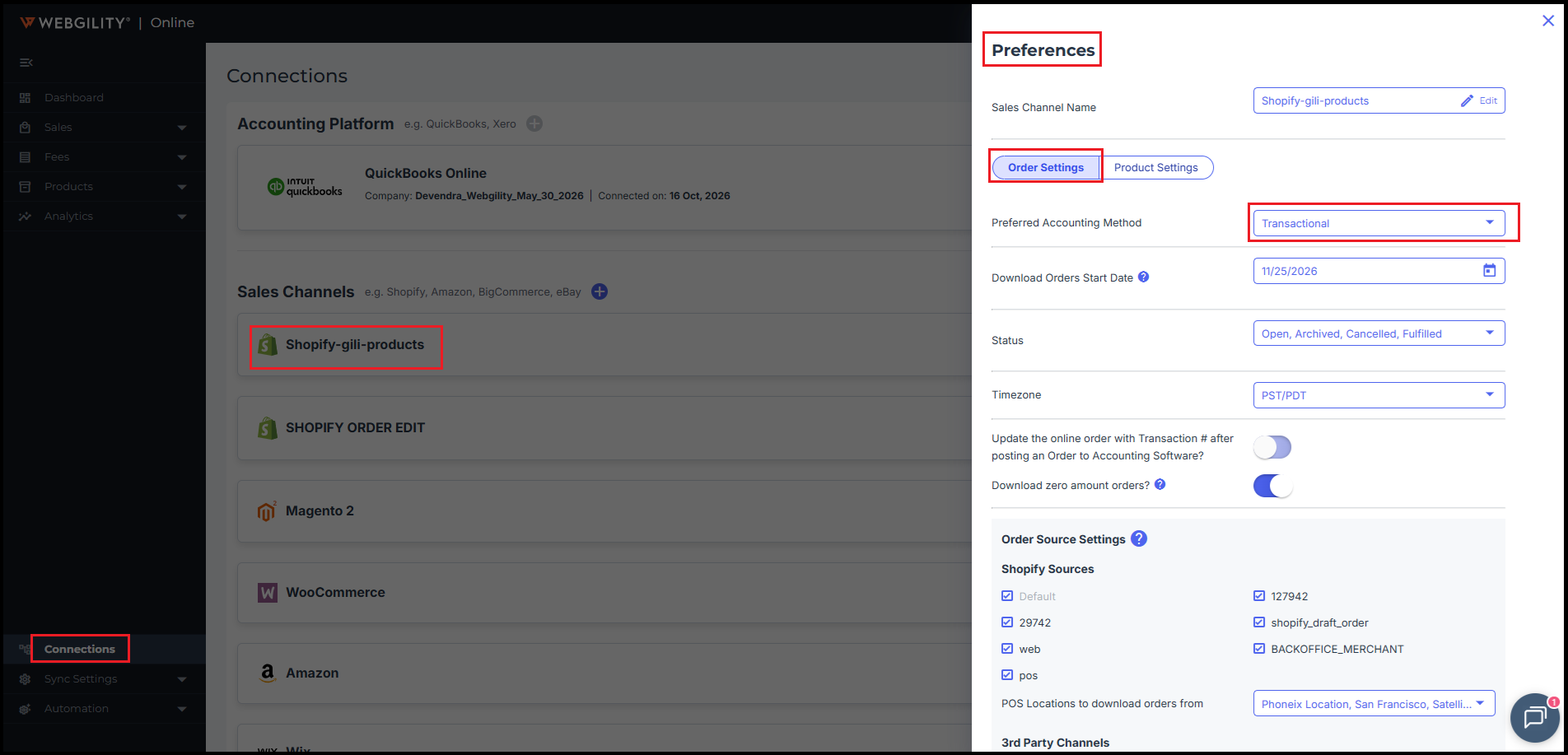
- Switch the Posting Method: Change the posting method from Consolidated Posting to Normal Posting.
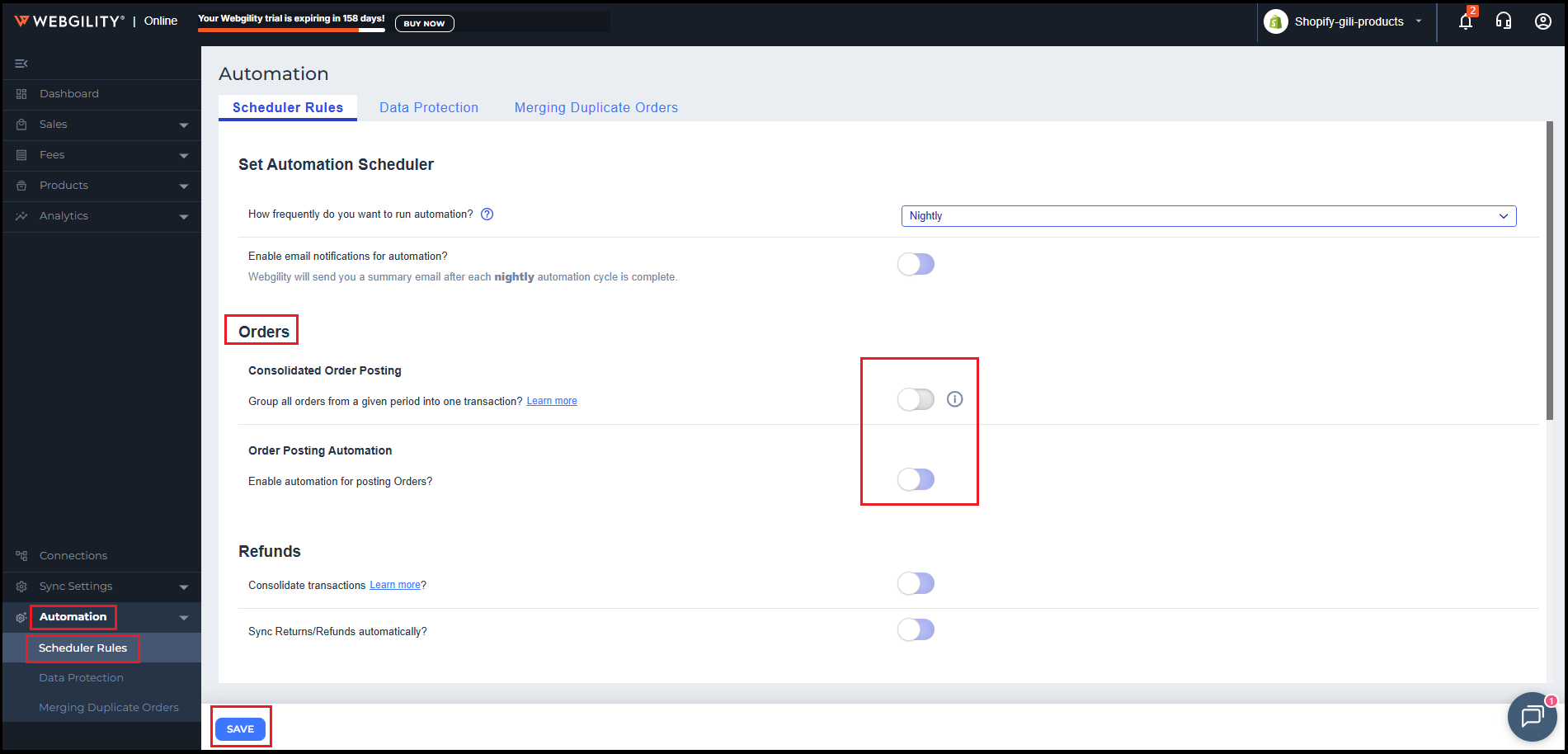
- Disable Automation: Temporarily turn off automation to prevent other orders from being posted during this process.
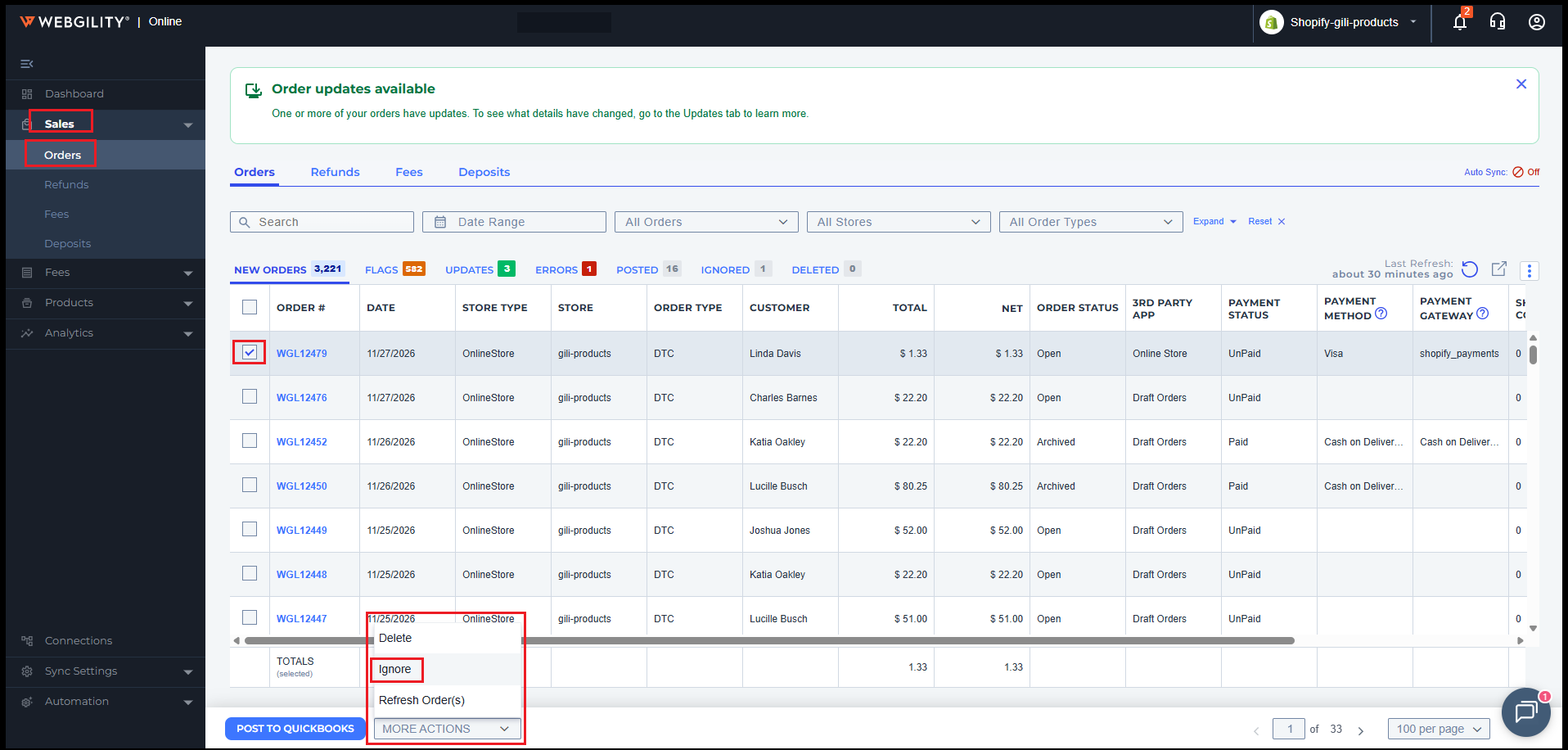
- Process the Order: Locate the specific order and choose Post or Ignore, depending on your requirement.
- Restore Consolidated Posting: Once the order has been processed, switch the posting method back to Consolidated Posting.
- Re-enable Automation: Turn automation back on to resume the regular posting process.