
Overview
If you can’t switch tabs or click buttons after opening Webgility Desktop, the app may be downloading QuickBooks data. Webgility can stop responding until the download finishes. You can turn off the startup download and refresh your data manually when you need it.
Turn off the startup download- Close Webgility Desktop. In Windows File Explorer, open
C:\Webgility\UnifyEnterprise\XML. - Make a backup copy of
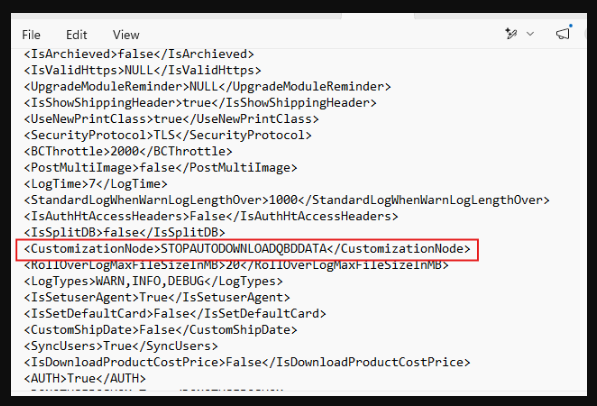
apiConfig.xml, then open the original file in Notepad. - Add this line just above the final closing tag in the file.
<CustomizationNode>STOPAUTODOWNLOADQBDDATA</CustomizationNode> - Save the file and reopen Webgility Desktop. Try switching tabs to confirm the app responds.
If you have any questions or need more help, please contact our support team.