
Step 1: Confirm which orders are missing
In the Amazon sales channel, list the FBA orders present in Webgility Desktop for the affected date range. Cross-check against the Amazon Seller Central Orders report for the same range. Note the missing Amazon Order IDs.
Step 2: Try a batch download first
Go to Connections > Sales Channels > Settings. On the Download Settings tab, set the start date to just before the earliest missing order, click Save & Continue, and run Get New Orders from the dashboard. If the batch download completes but the missing orders still do not appear, throttling is likely.
Step 3: Download by Order ID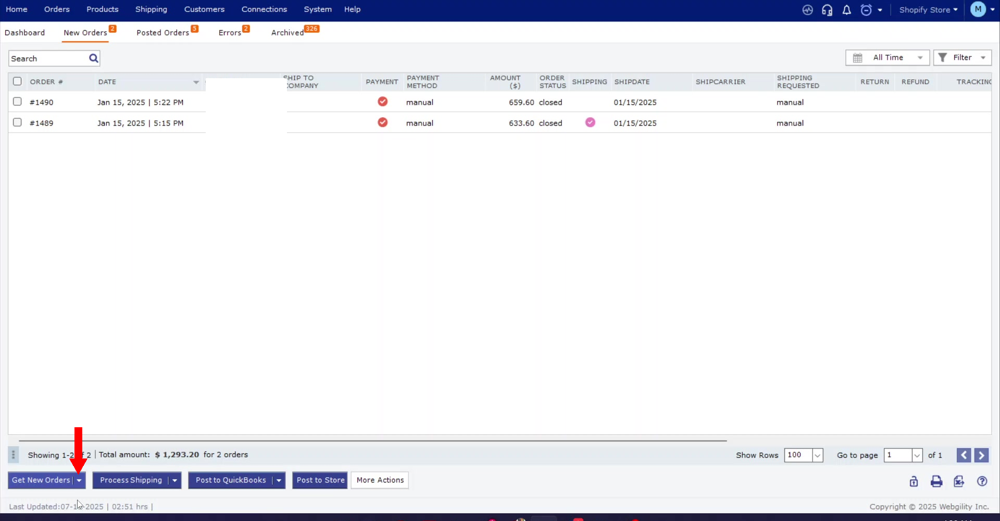
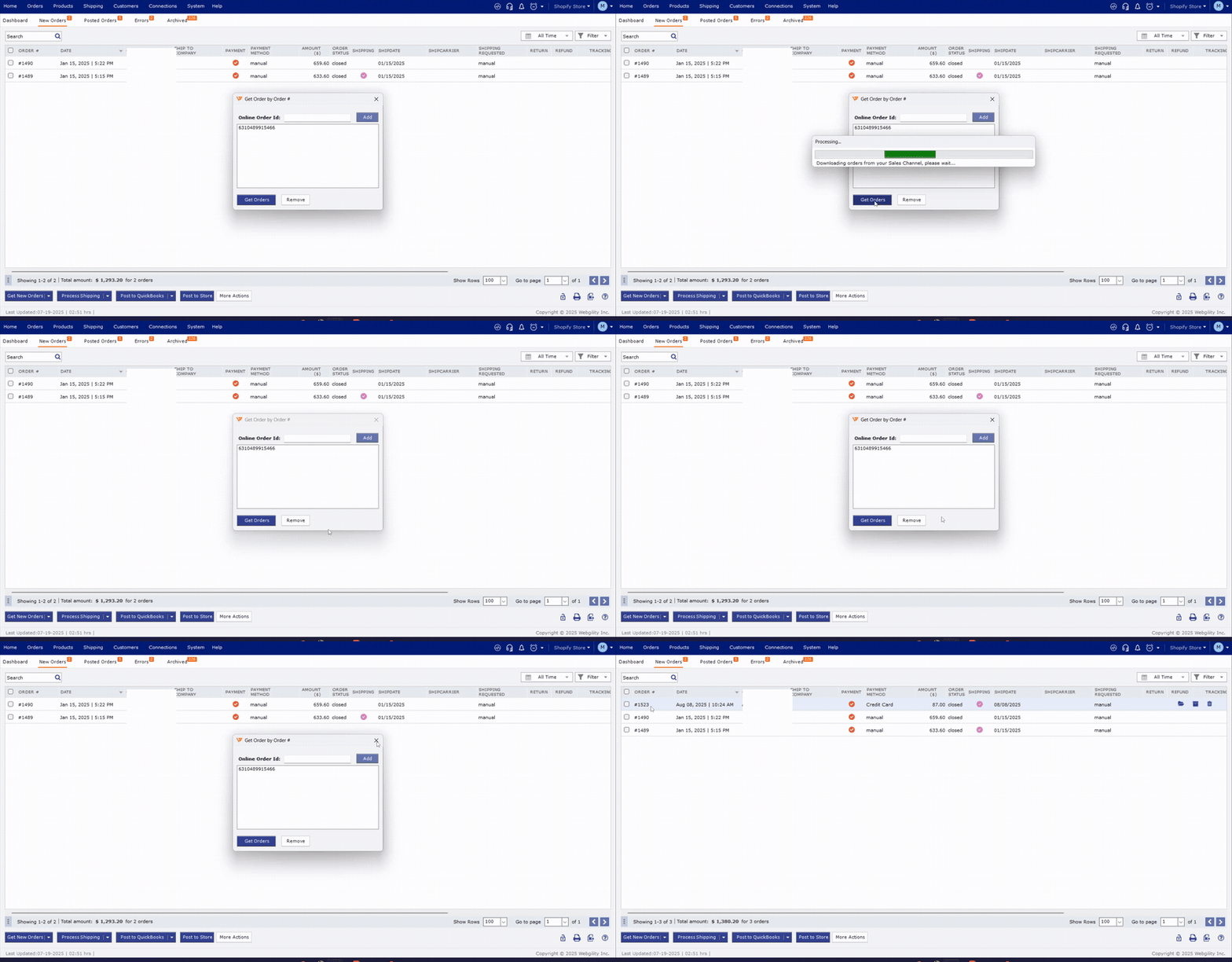
Use Get New Orders > Orders by ID from the dashboard. Paste one of the missing Amazon Order IDs and download it individually. If this succeeds while the batch download did not, Amazon throttling on the fulfillment endpoint is confirmed. Repeat this per missing Order ID as a workaround until the throttling window clears.
Step 4: Space out your download requestsWhile throttling is active, avoid repeated batch downloads. Amazon reduces the throttle when request volume drops. Wait at least 30 minutes between batch attempts and reduce the download date range to a shorter window (for example, one day at a time).
Step 5: When to contact Webgility SupportIf per-Order-ID downloads also fail, or if throttling persists for more than 24 hours, contact Webgility Support with the Amazon Order IDs of the missing orders and the exact time you attempted the batch download. Support can review backend logs and coordinate with Amazon Seller Support if the throttle window is unusually long.
Related: Orders Not Downloading in Webgility Desktop, How to Import Older Amazon FBA Reports from Seller Central.