
Overview
Your order has shipped and shows a tracking number in ShipStation, but the tracking field is blank in Webgility Desktop. If the order hasn’t been posted to accounting, reauthorize ShipStation and download the order again.
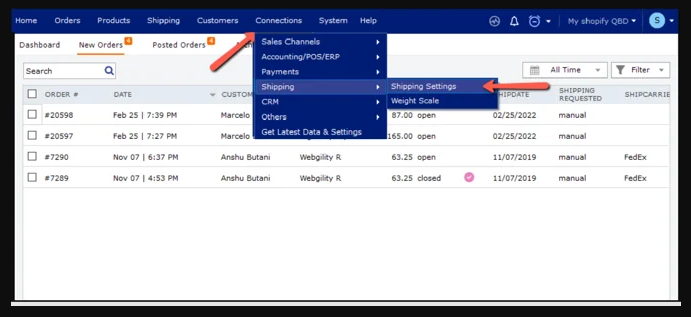
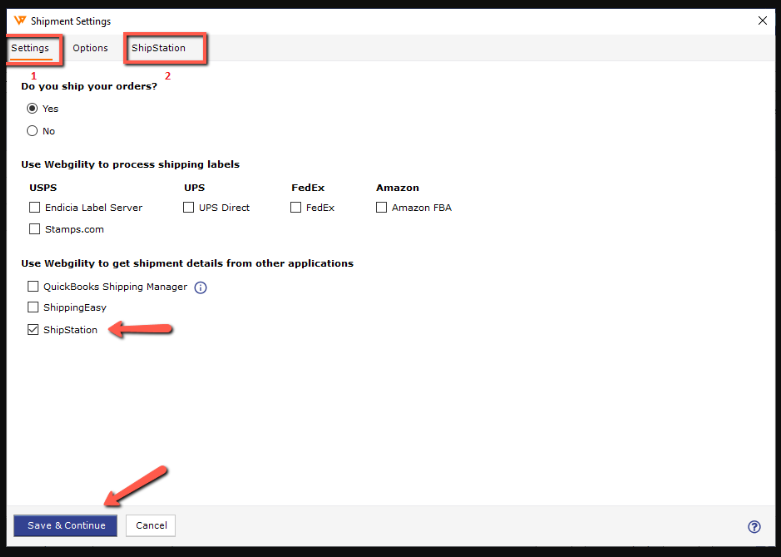
Retrieve the tracking number- Reauthorize ShipStation. In Webgility Desktop, go to Connections → Shipping → Shipping Settings and reauthorize the ShipStation connection. ShipStation connection settings guide
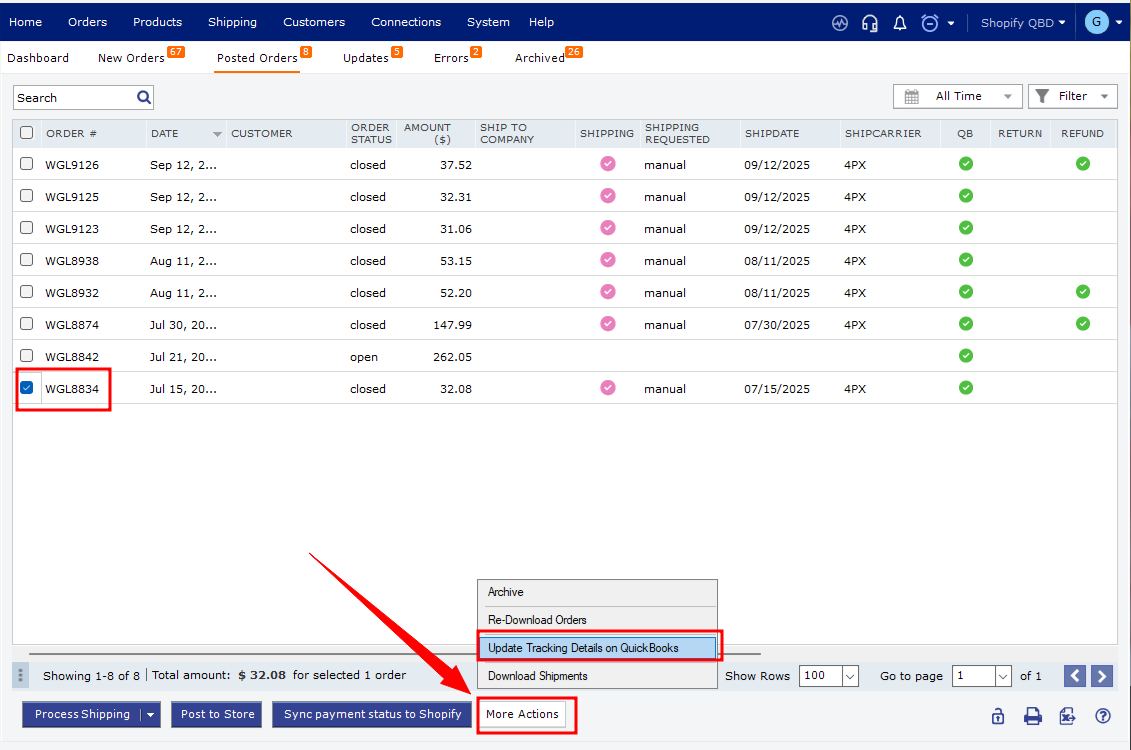
- Redownload the order. On the Dashboard, open New Orders, find the affected order, and follow the Webgility Desktop order redownload guide.
- Check the tracking number. Open the order in Webgility Desktop and confirm that its tracking number matches the one in ShipStation.
If you have any questions or need more help, please contact our support team.