
Overview
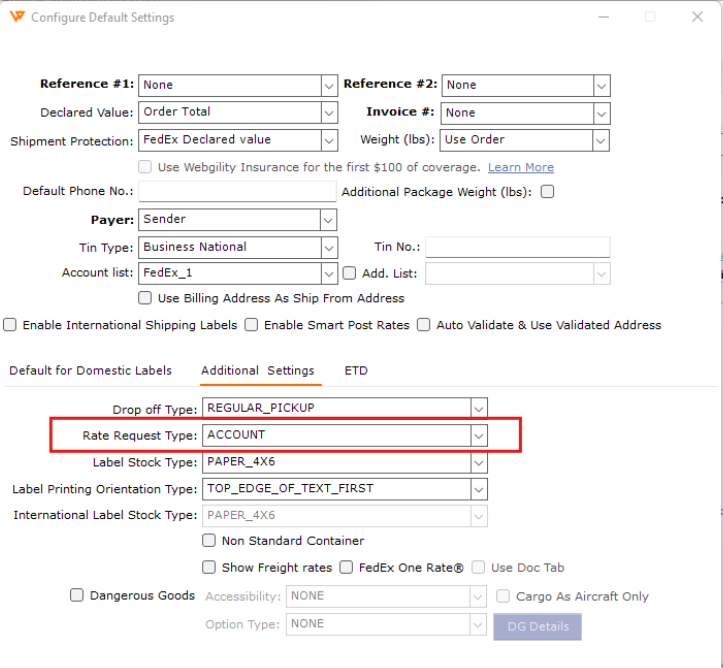
In this scenario, Webgility Desktop is set to request FedEx Standard Rates. Change the Rate Request Type to Account (My Rates) to use rates associated with your FedEx account.
Steps
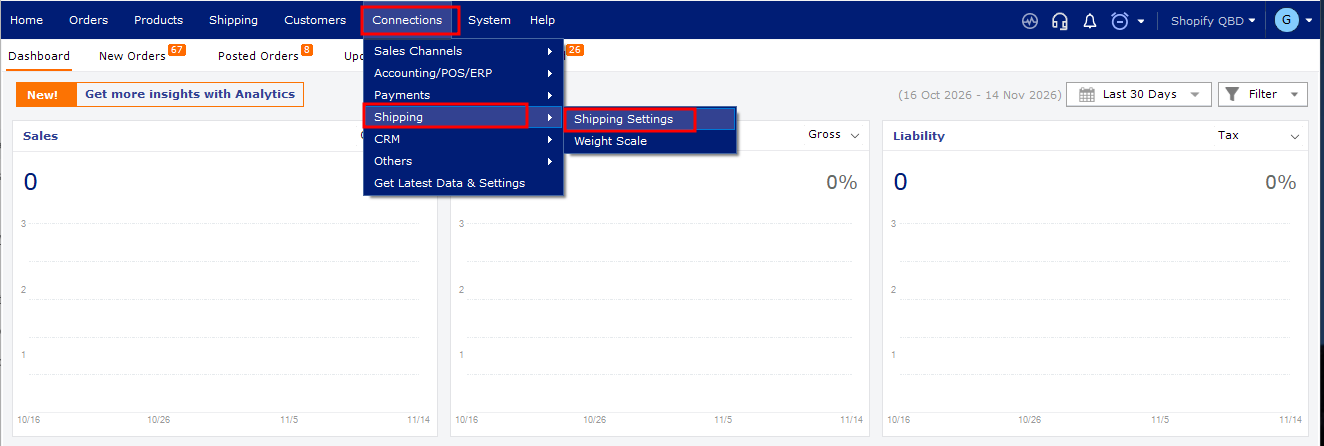
- In Webgility Desktop, go to Connections > Shipping > Shipping Settings > Shipping Rules.
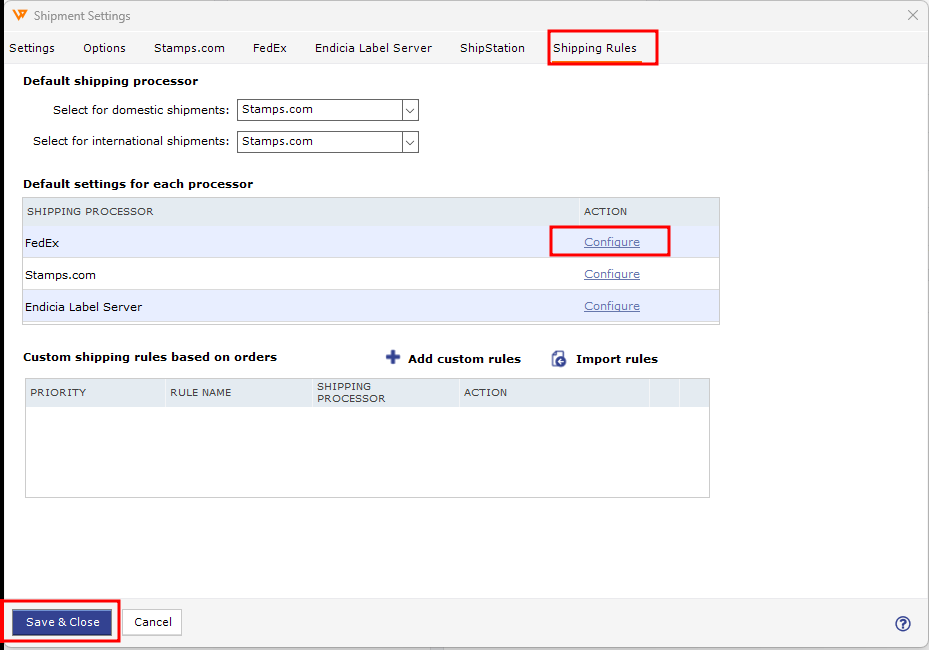
- Under FedEx, select Configure.
- Open Additional Settings. For help finding carrier settings, see How to Configure Default Shipping Settings.
- Set Rate Request Type to Account (My Rates) instead of List (Standard Rates), then save your changes.
- Generate the label again. For help with the shipping process, see Shipping Workflows in Webgility Desktop.
If you have any questions or need more help, please contact our support team.