
Overview
In this scenario, Amazon updated return details that Webgility Desktop is missing. Refresh the affected order and settlement report, then try posting the report again.
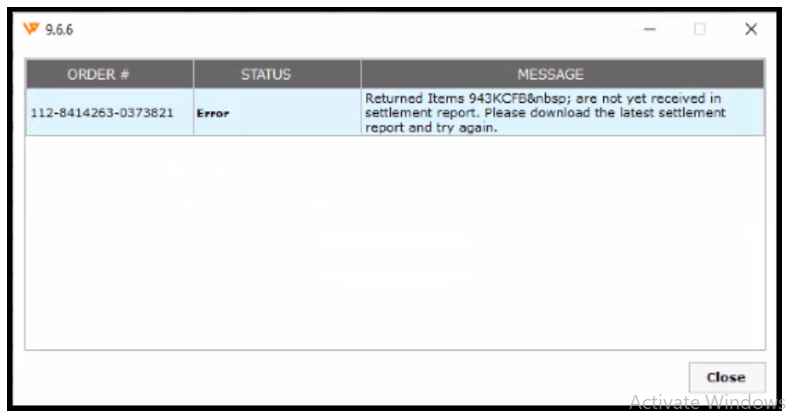
- Identify the affected order. Find its order number in the error message. In Webgility Desktop, search for the order in the relevant order sections, such as Posted Orders or Archived.
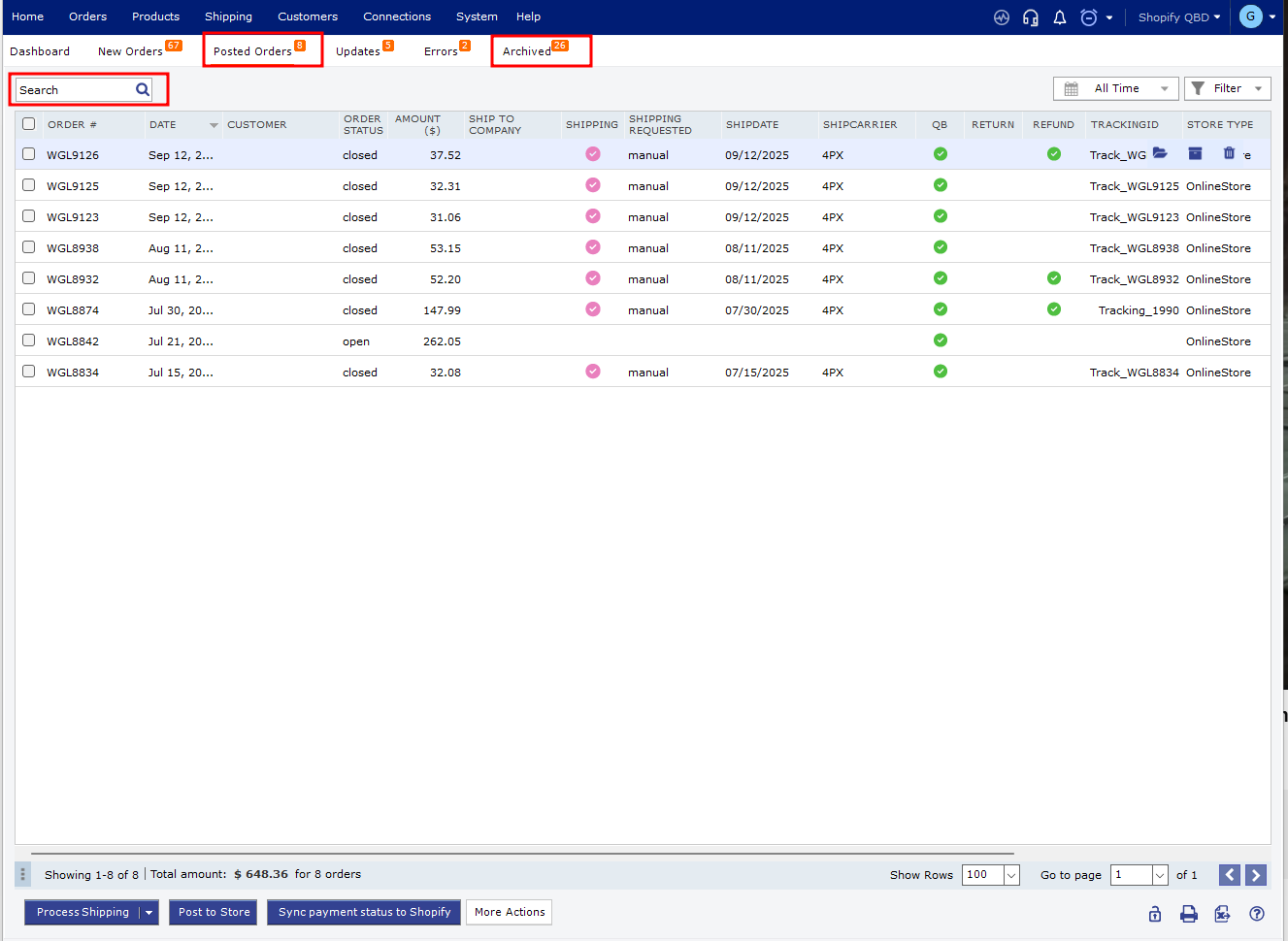
- Undo the order sync if it was already posted. Select the affected order and choose Undo Sync. Then re-download it. See Order Re-download in Webgility Desktop for details.
- Refresh the settlement report. If the report was partially posted, undo its sync and re-download it.
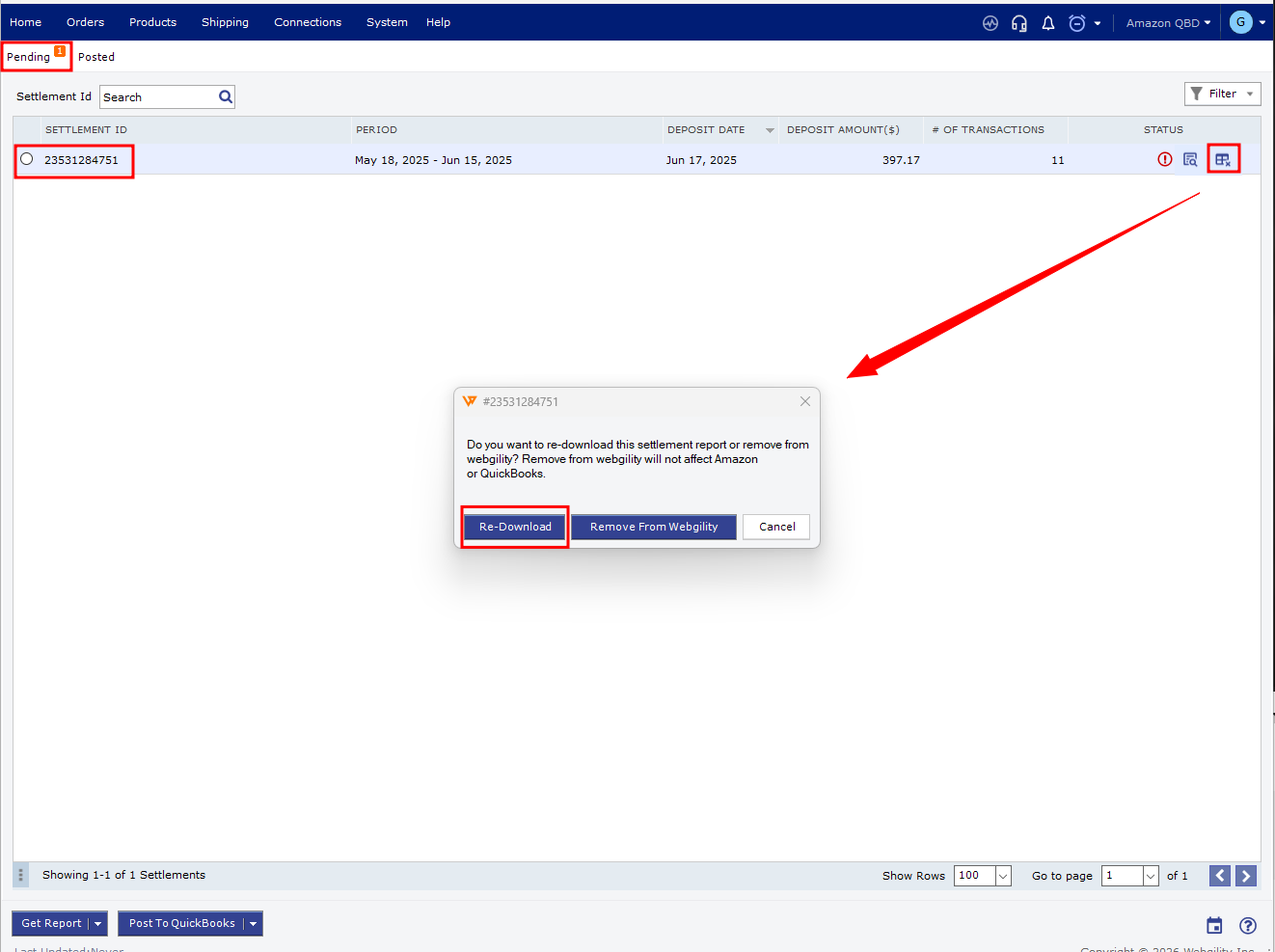
- Post the report again. Once the order and report have been refreshed, try posting the settlement report again.