
Overview
In this scenario, a partial refund is processed before all transactions for an Amazon order have been included in a settlement report. The settlement may remain pending until the report and its transactions are posted.
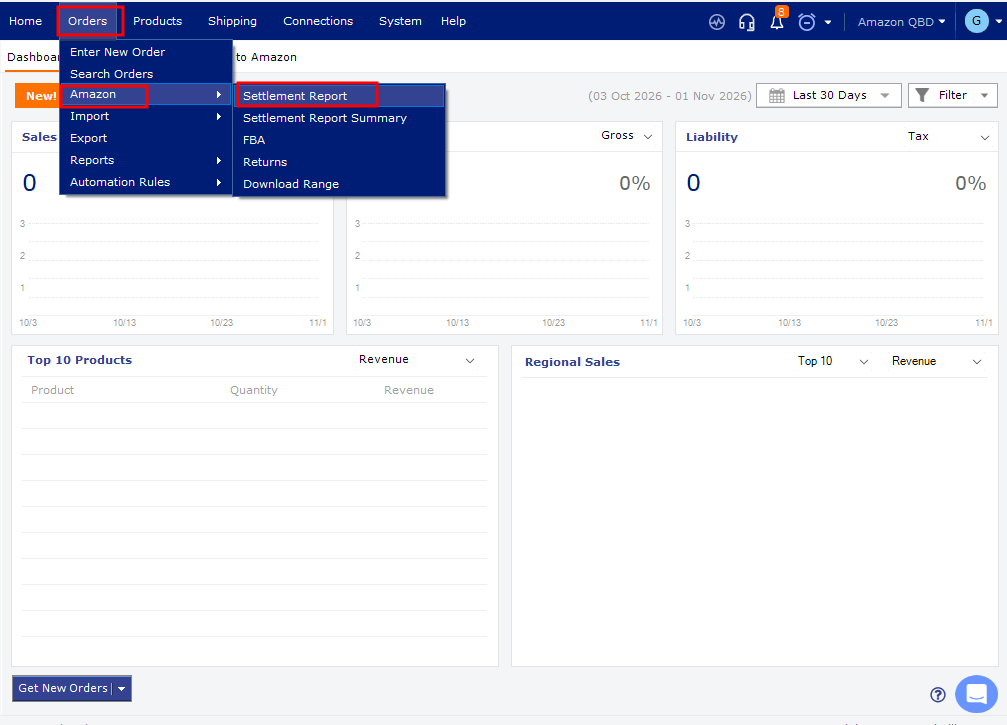
Steps- In Webgility Desktop, go to Orders > Amazon > Settlement Report.
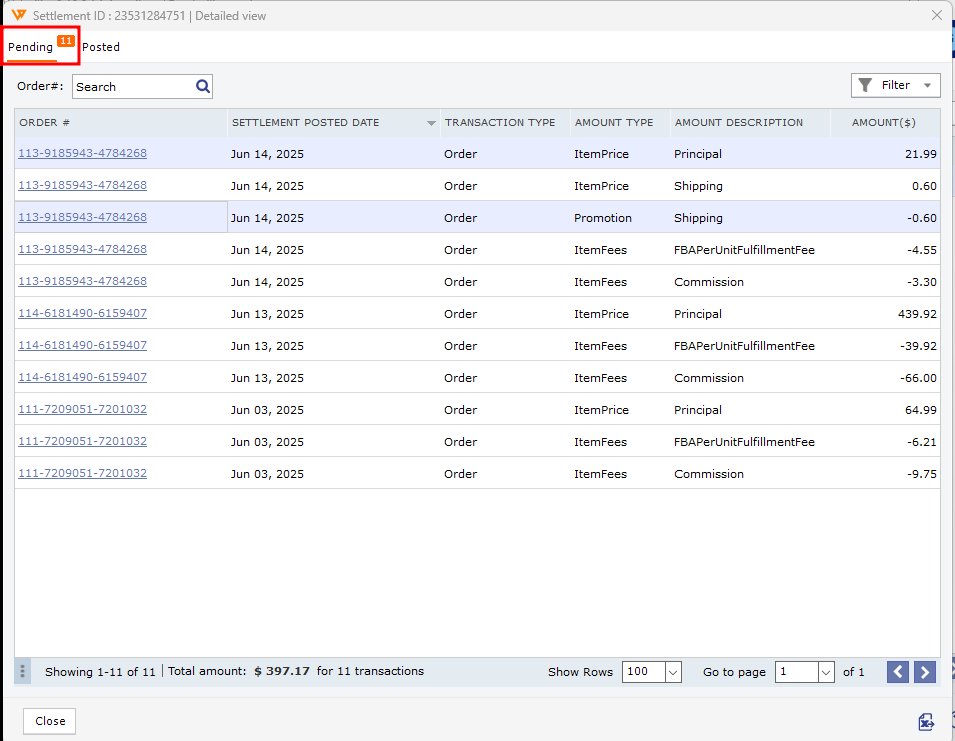
- Open the Pending tab and locate the report containing the order and refund.
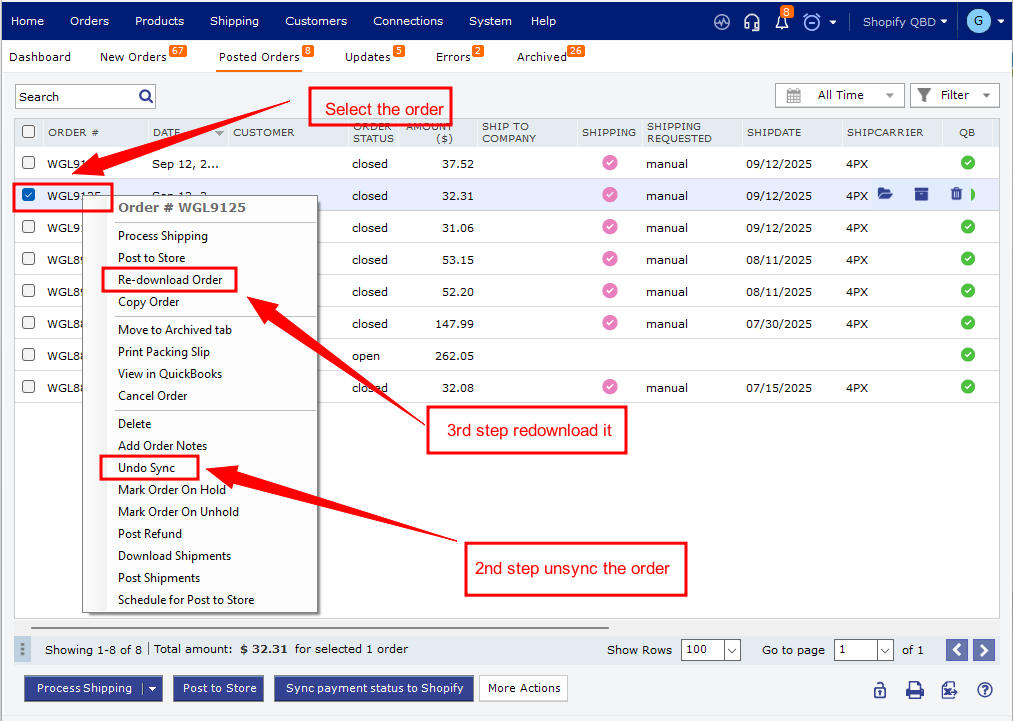
- Review the order in Pending. If it has not been posted, post it to QuickBooks. If it is already posted, select Undo Sync to unpost it, then redownload the order and post it to QuickBooks again.
- After the order and refund are posted, try posting the settlement report.
- When posting finishes, confirm the report appears under Posted. Review the report details and select Mark As Settled if the information is accurate.
For detailed instructions and status definitions, see Locate and Post Amazon Settlement Reports in Webgility Desktop.
If you have any questions or need more help, please contact our support team.