Part of How to Post Orders to QuickBooks in Webgility i.
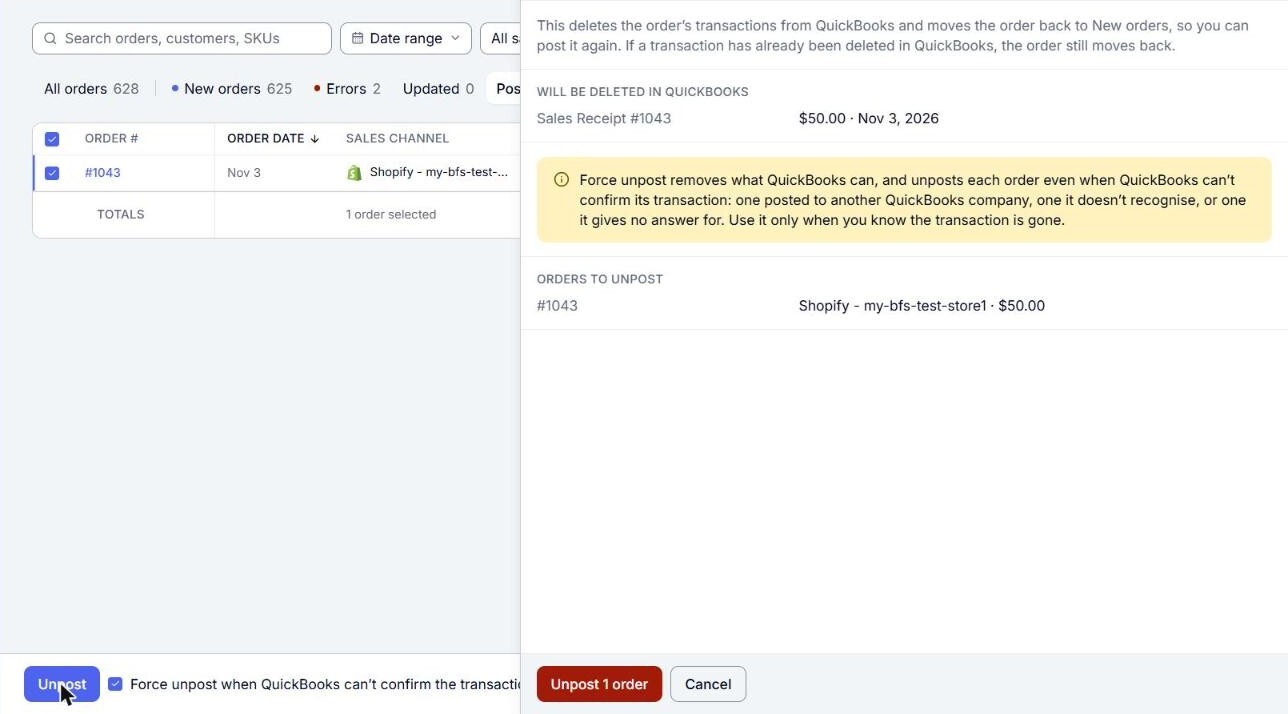
If QuickBooks Online cannot confirm the transaction
You do not need anything extra when the transaction was already deleted in QuickBooks Online: Unpost still moves the order back to New orders.
If the order was posted to another QuickBooks Online company, or QuickBooks Online does not recognize its transaction or does not answer, tick Force unpost when QuickBooks can’t confirm the transaction before you click Unpost. The confirm then warns: "Force unpost removes what QuickBooks can, and unposts each order even when QuickBooks can’t confirm its transaction: one posted to another QuickBooks company, one it doesn’t recognise, or one it gives no answer for. Use it only when you know the transaction is gone."