
Overview:
A settlement report may need to be re-downloaded when the original report was incomplete, transactions were missing, the marketplace updated the settlement data, or you are experiencing issues posting the settlement report to QuickBooks. Re-downloading the report allows Webgility to retrieve the latest available settlement information for processing and posting.
Steps to follow:
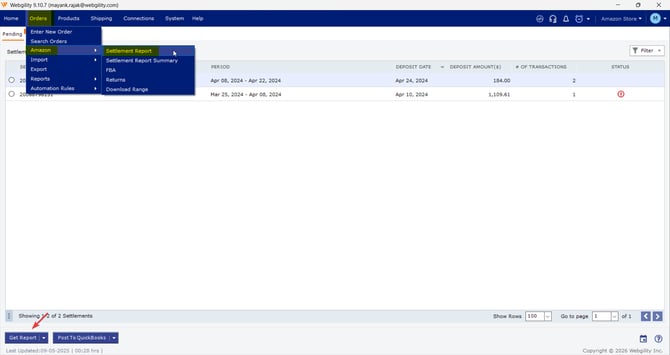
- In Webgility Desktop, navigate to Orders, then go to Amazon, and click Settlement Report.Click Get Report.
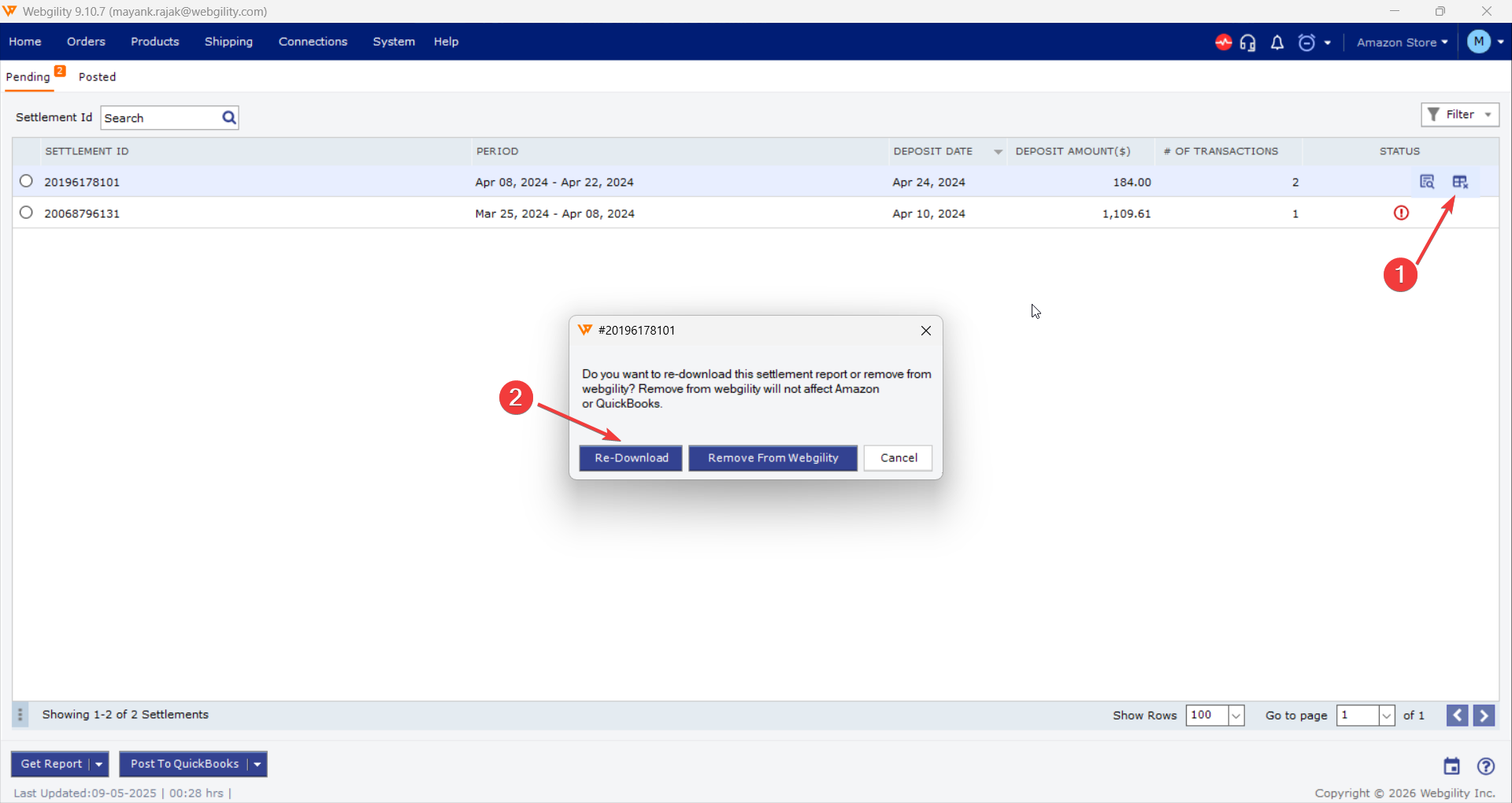
- If the user needs to re-download an Existing Report, go under Status column for the affected report and click on the Remove Settlement Icon and select Re-downlaod.
Feel free to reach out to us at support@webgility.com