
Overview
If your order stays unposted and the Order Status window says “DocStatus is invalid for this operation,” check the transaction in Avalara AvaTax. A Committed transaction is locked, which prevents Webgility from making the updates it needs to post the order.
How to fix it- Uncommit the transaction in AvaTax. Sign in to Avalara AvaTax, find the transaction for the affected order, and change its status from Committed to Uncommitted.
Steps to uncommit a transaction
- Sign in to Avalara AvaTax.
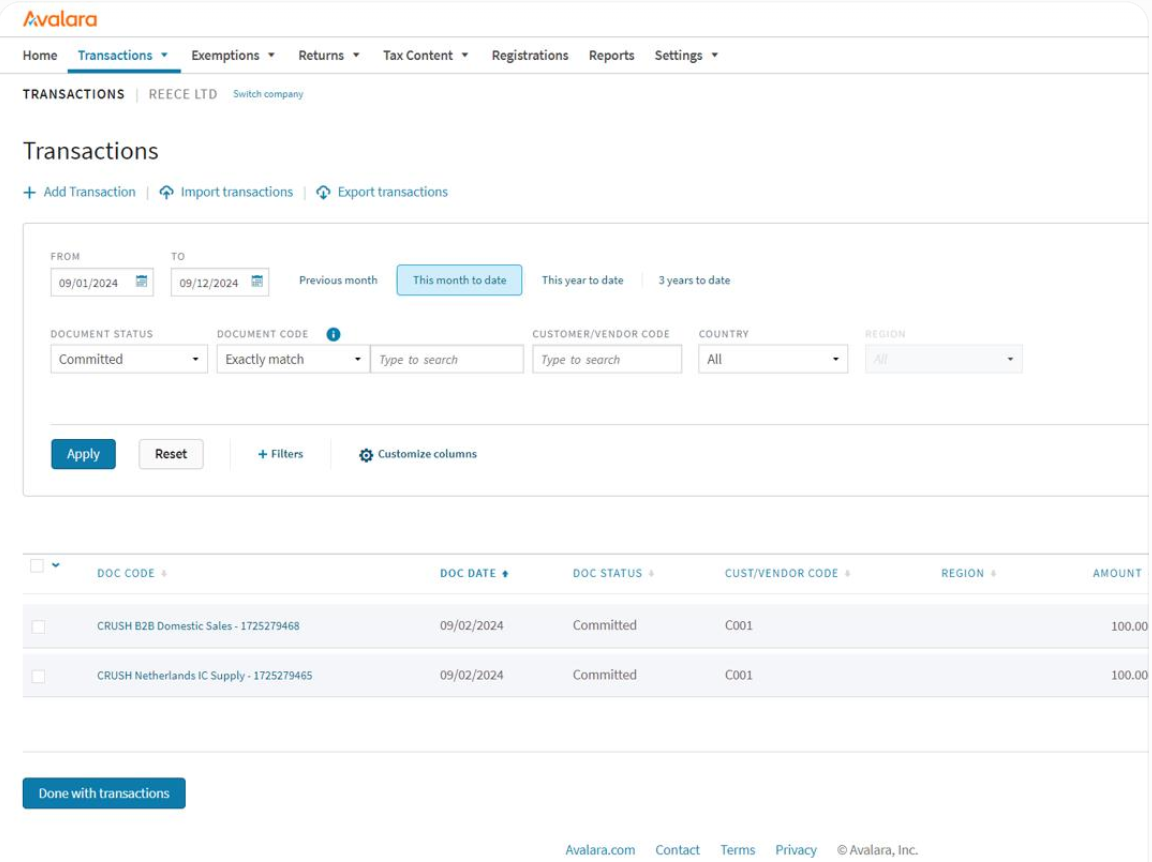
- Navigate to Transactions.
- Search for the affected order using its document code or date range.
- Click the transaction’s Doc Code to open its details.
- Select Edit and locate the transaction status.
- Change the status from Committed to Uncommitted, then click Save.
- Retry posting from Webgility Desktop. Follow the Errors View instructions to post the affected order again. How to post orders from Webgility Desktop
If you have any questions or need more help, please contact our support team.