
Overview:
Webgility Desktop updates are released regularly to deliver new features, performance improvements, and critical bug fixes. Keeping your Webgility Desktop app updated ensures compatibility with sales channels, accounting systems, seamless operations, and security standards.
This guide walks you through the steps to manually check for and install the latest version of Webgility Desktop using the Check for Updates feature.
Note 1: If you are using a Webgility Desktop version older than 9.8.4, use the following article to upgrade the application: Webgility Desktop Upgrade Guide: For Versions Pre-9.8.4
Note 2: It’s recommended to back up your Webgility Desktop database before proceeding.
Steps to follow:
1). Open the Webgility Desktop application. Click Login.
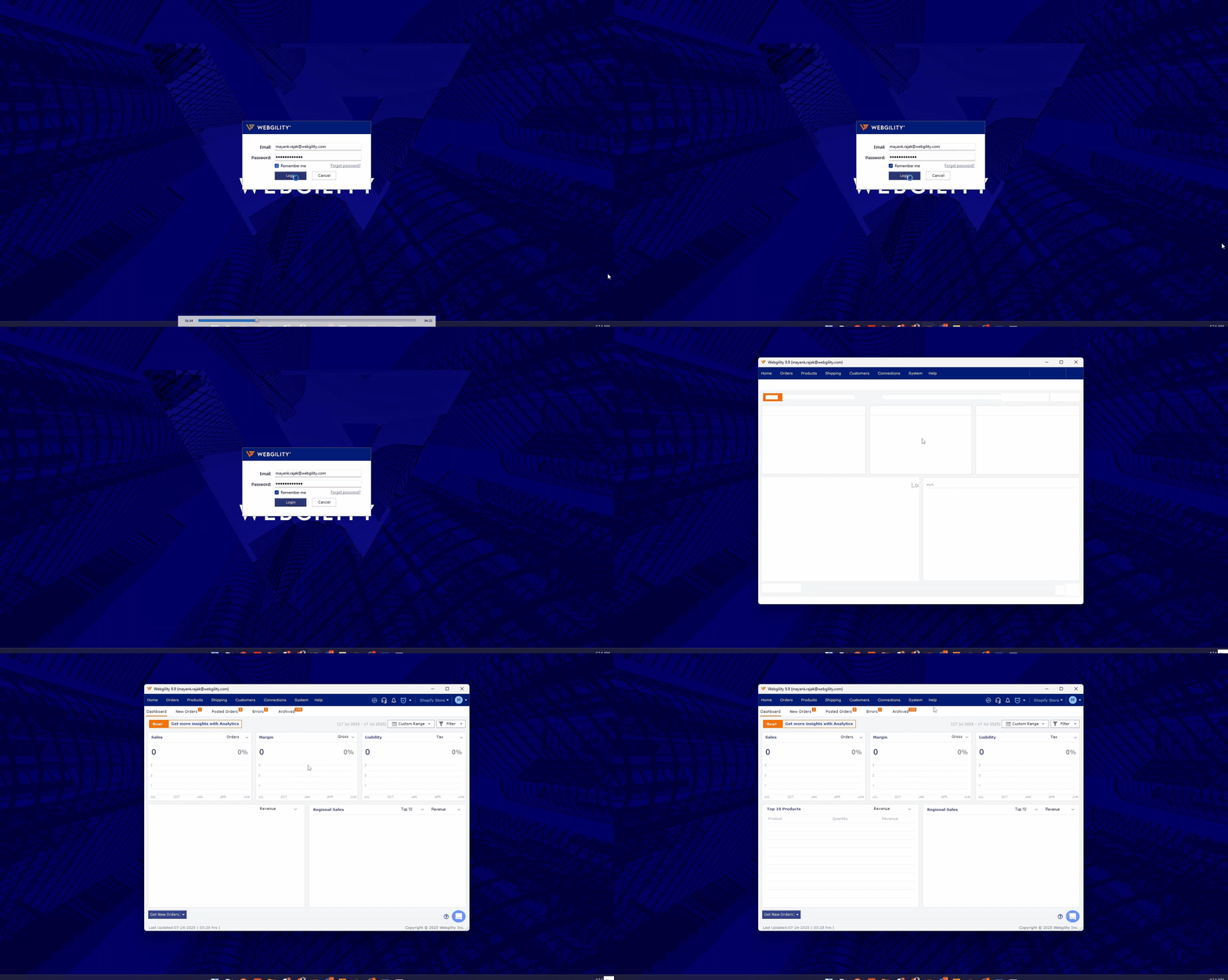
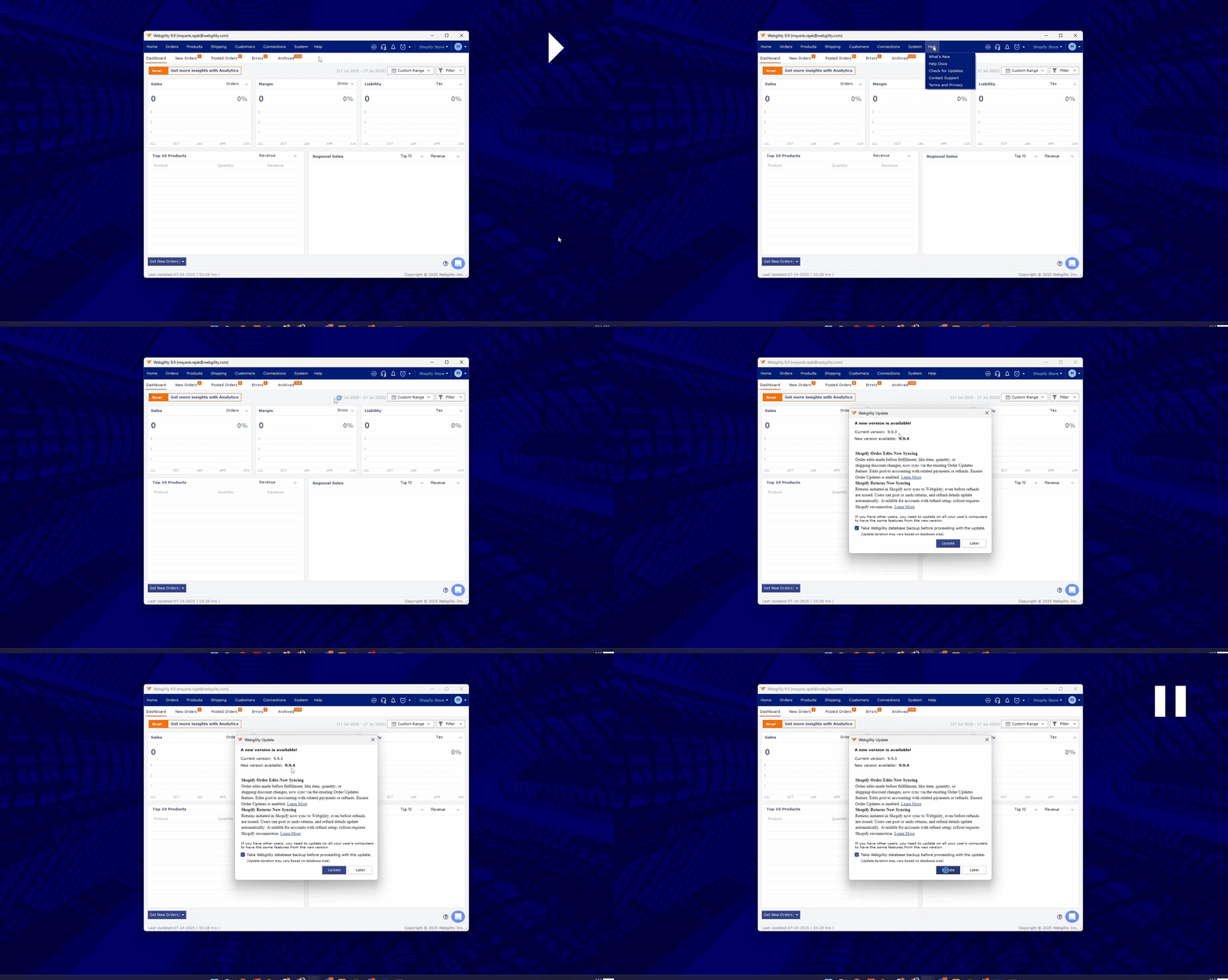
2). Once logged in, click on Help > Check for updates. This will help you in verifying if any new updated is available for the Webgility Desktop application.
3). If found then click on the Update button. Make sure to keep the “Take Webgility database backup before proceeding with the update.”
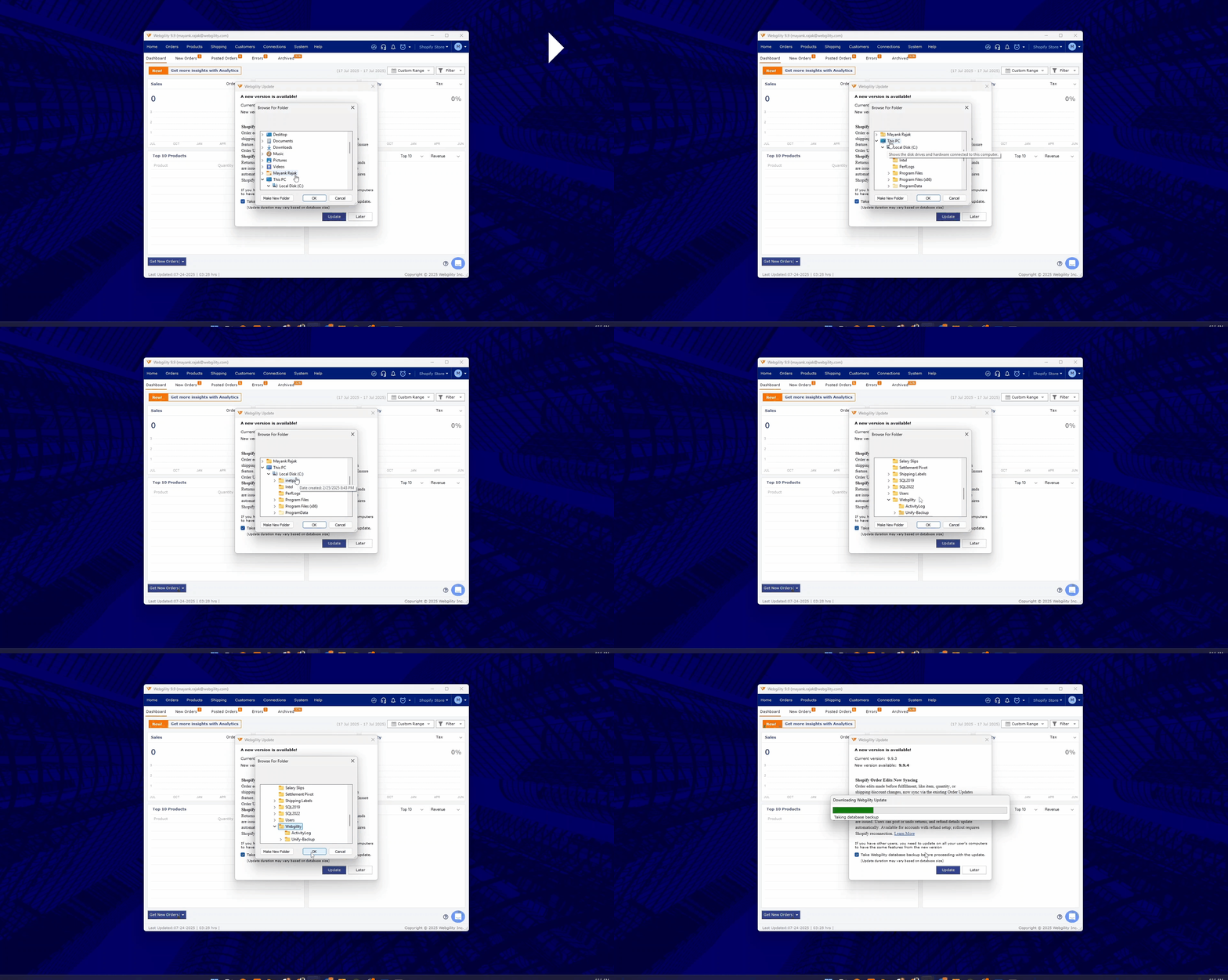
4). After clicking on the Update button, select the default location of the database backup to be created.
7). After the backup is created, Webgility Installer will start to install the updated version on your computer.
8). You will see the installation progress window, showing the ongoing installation.
9). After successfully installing the updated version of Webgility Desktop, it will take you to the login window, click Login:
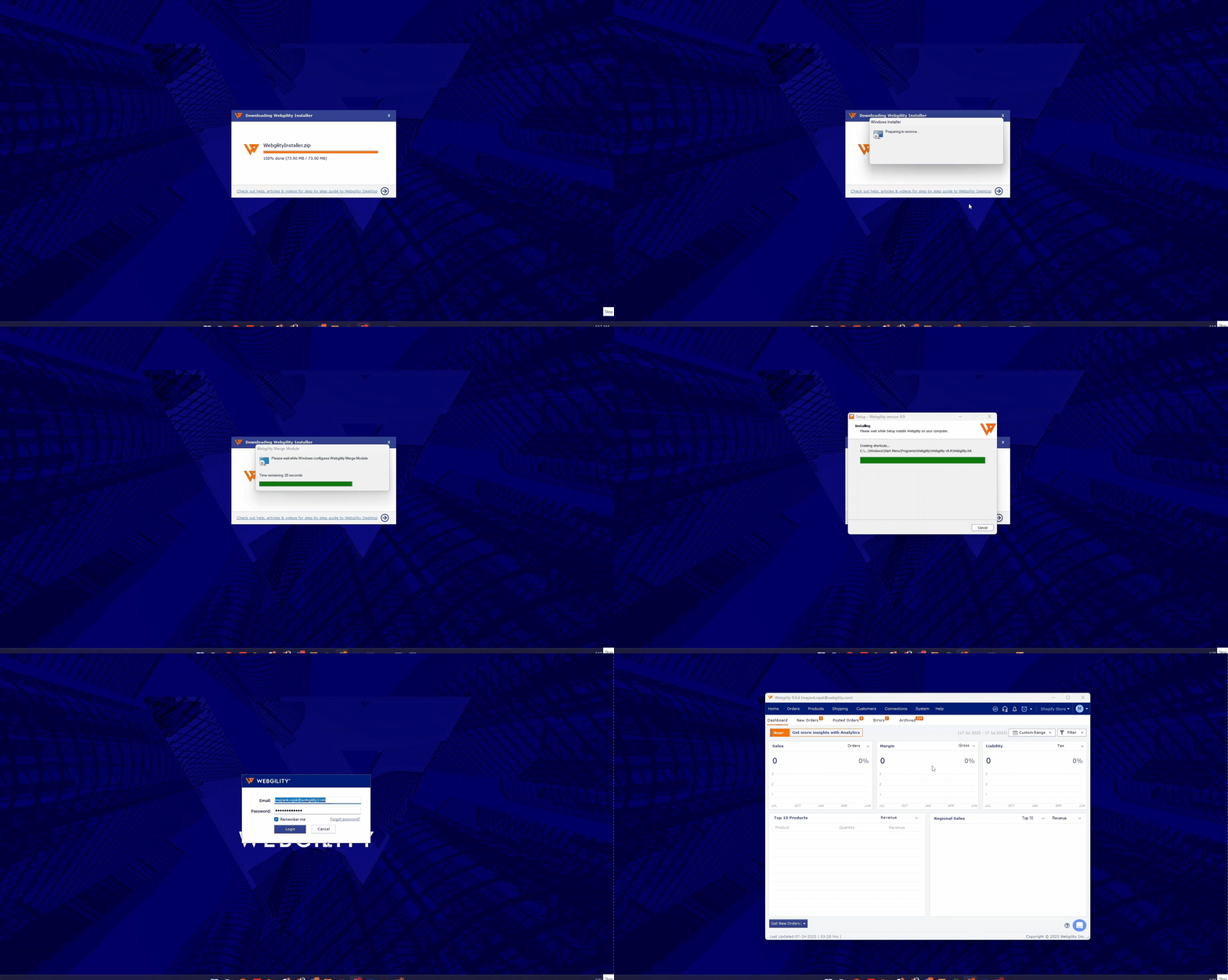
10). On the Wedgility Desktop dashboard view, go to Help > Terms and Privacy, verify the updated version.
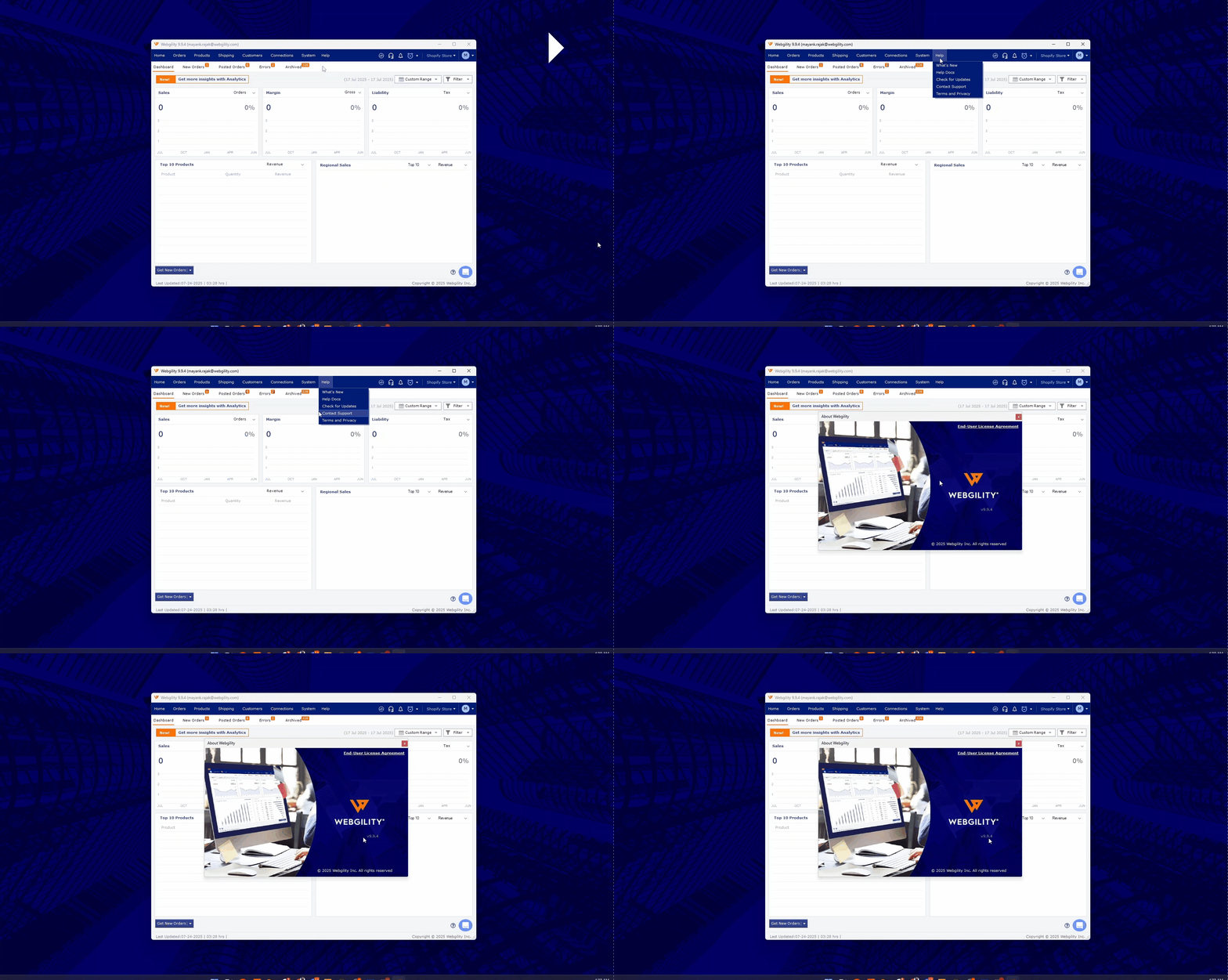
Webgility Desktop has been updated to the latest version.