
Overview
Webgility Desktop can transfer the purchase order number entered by a customer in Shopify to QuickBooks Desktop. Choose Sales Channel PO Number in transaction settings to use the customer’s Shopify PO number instead of the Shopify order number.
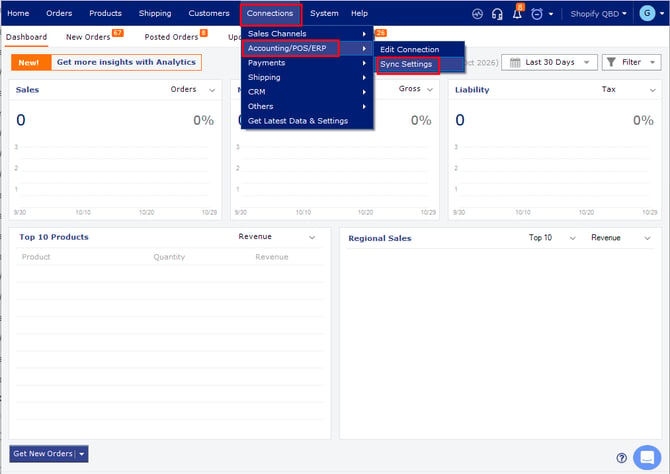
Set the PO number source- Open Webgility Desktop and go to Connections > Accounting/POS/ERP > Sync Settings.
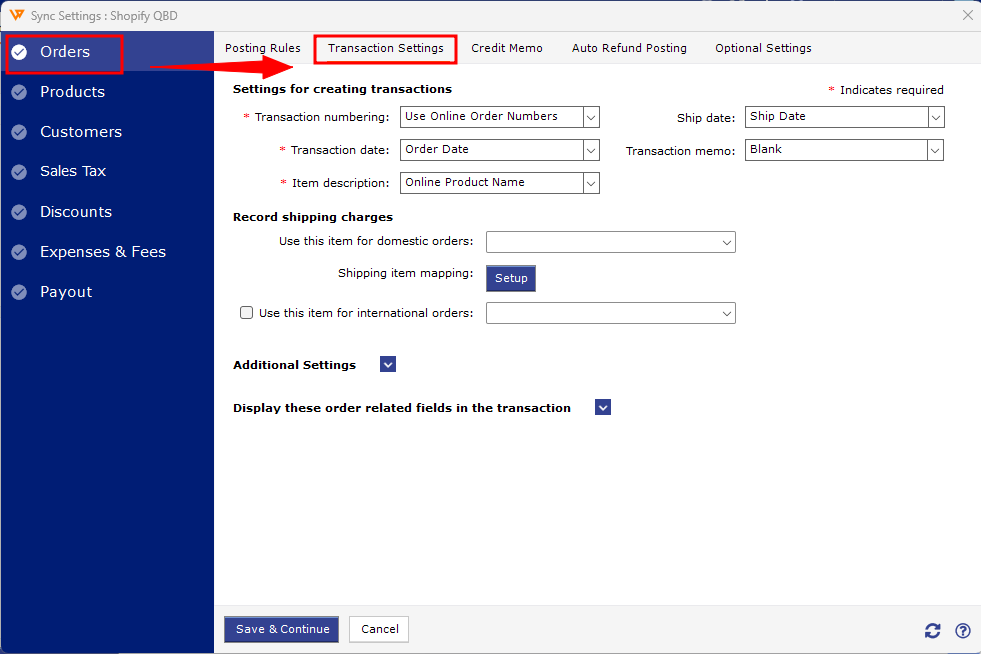
- Select Orders > Transaction Settings.
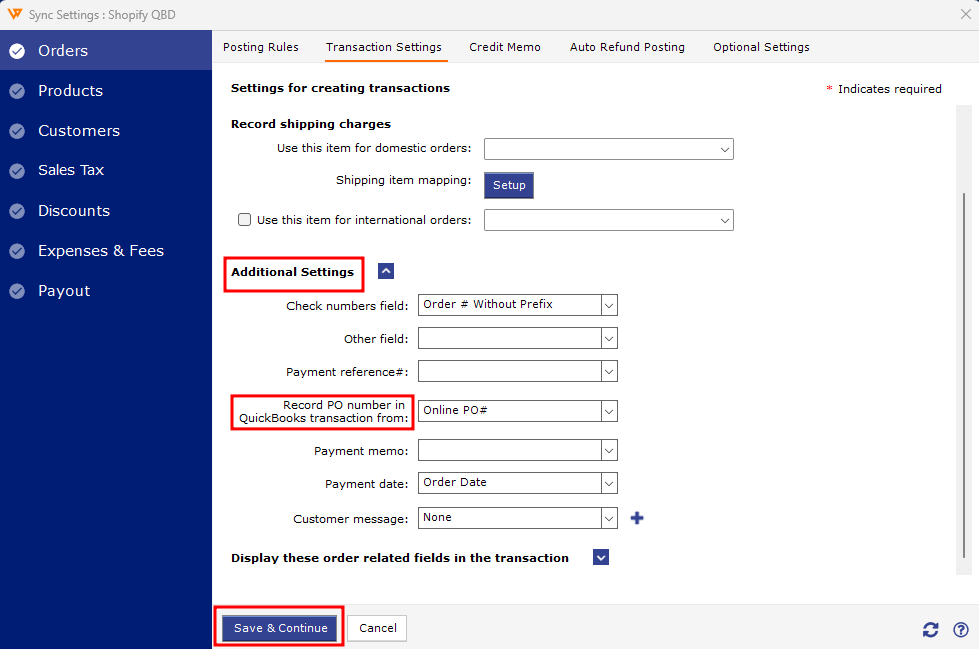
- Expand Additional Settings and enable the option to store the PO number.
- For Record PO Number in QuickBooks Desktop transaction from, select Online PO#.
- Select Save and Continue.
For help removing a transaction that was already posted, see Correcting Sync Errors with the Undo Sync Feature.
Post a Shopify order with a customer PO number and check its transaction in QuickBooks Desktop to confirm the PO appears in the intended field.
If you have any questions or need more help, please contact our support team.