
Note1: This article applies to Quickbooks Online UK version only.
Marketplace Facilitator VAT
The following fee types may contribute to the difference:
- MarketplaceFacilitatorVAT-Principal
- MarketplaceFacilitatorVAT-Shipping
Amazon collects and remits these VAT amounts to the applicable tax authorities on your behalf. Because these amounts are not directly paid to you, they may not be included in QuickBooks by default.
How to Include These Fees in QuickBooks
If you want these amounts to be posted individually in QuickBooks, you can update your fee-posting configuration:
-
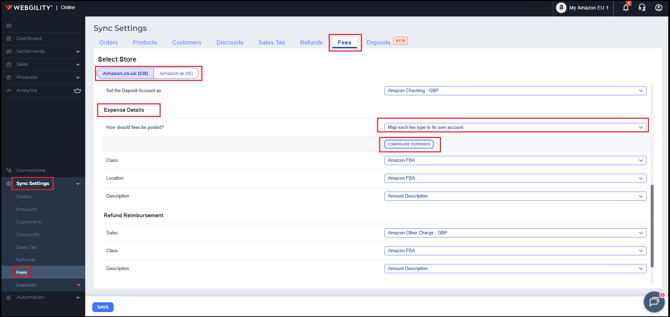
Go to the Sync Settings > Fees tab in Webgility Online.
-
Under How should fees be posted?, select Map each fee type to its own account.
-
Click Configure Expenses.
-
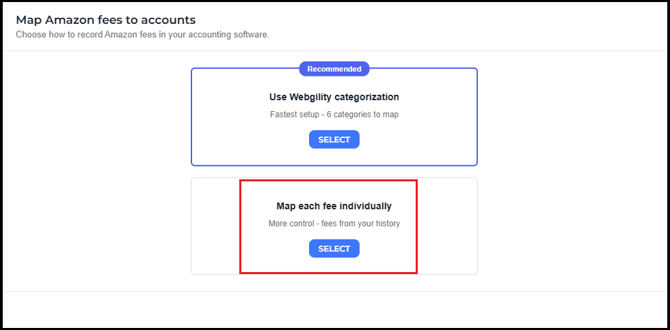
Select Map each fee individually.
-
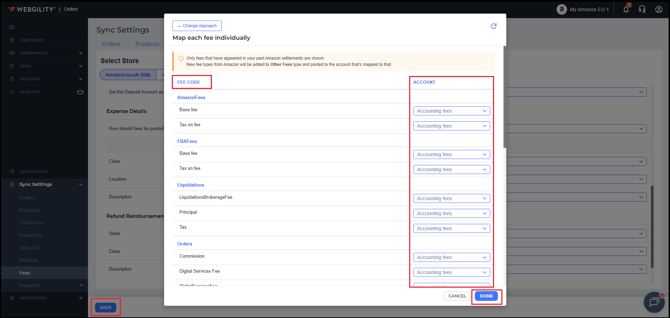
Review the fee types and assign the appropriate QuickBooks account to the applicable VAT-related fees.
-
Save your changes.
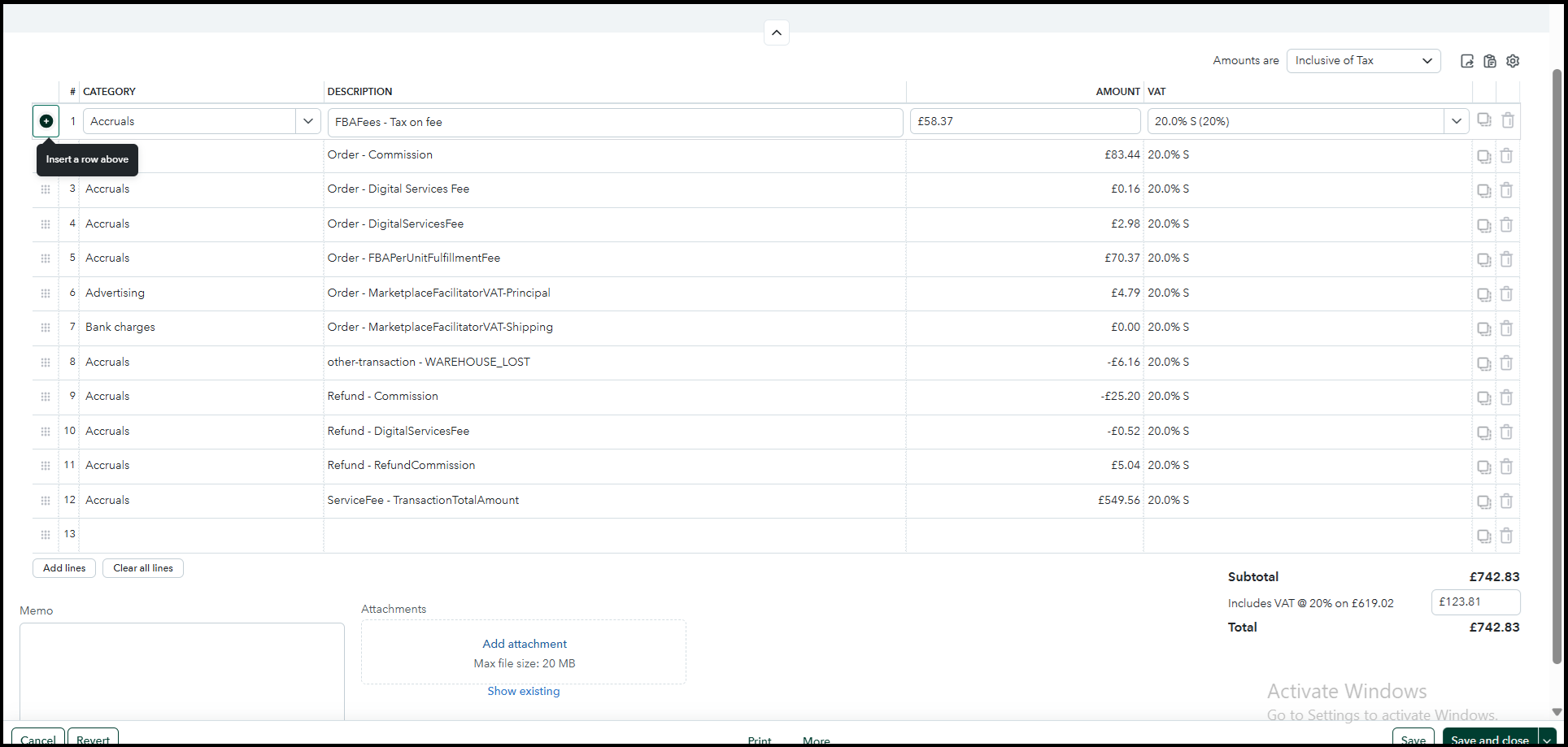
This allows the applicable fee amounts to be posted individually, making it easier to reconcile the Amazon settlement with QuickBooks.
If the Settlement Still Does Not Match
If you continue to see a difference after updating the configuration, review the following settlement components:
-
Gross sales
-
Refunds
-
Marketplace Facilitator VAT
-
Other fees
-
Fee account mappings
-
Net proceeds
Refunds or other fee mappings can also contribute to differences between the Amazon settlement and the amount posted to QuickBooks.
Note2: The appropriate fee configuration depends on how you want your Amazon settlement transactions to be recorded in QuickBooks Online UK. If you are unsure which accounts should be used for VAT-related fees, consult your accountant or accounting professional before making changes.