
Important: Reconnect using the same QuickBooks Online company file, signed in as an Admin. If your business has more than one QuickBooks Online company file, be careful to select the correct one — connecting the wrong file will disconnect Webgility from your real data and reset your existing settings, and you'll need to reconfigure them from scratch.
Note: Before you start, take screenshots of your current Webgility Online accounting settings (mappings, tax settings, sync preferences, etc.). Reconnecting automatically resets these settings, so having a record makes it much faster to set everything back up afterward.
How to Reconnect
Step 1: Go to Connections
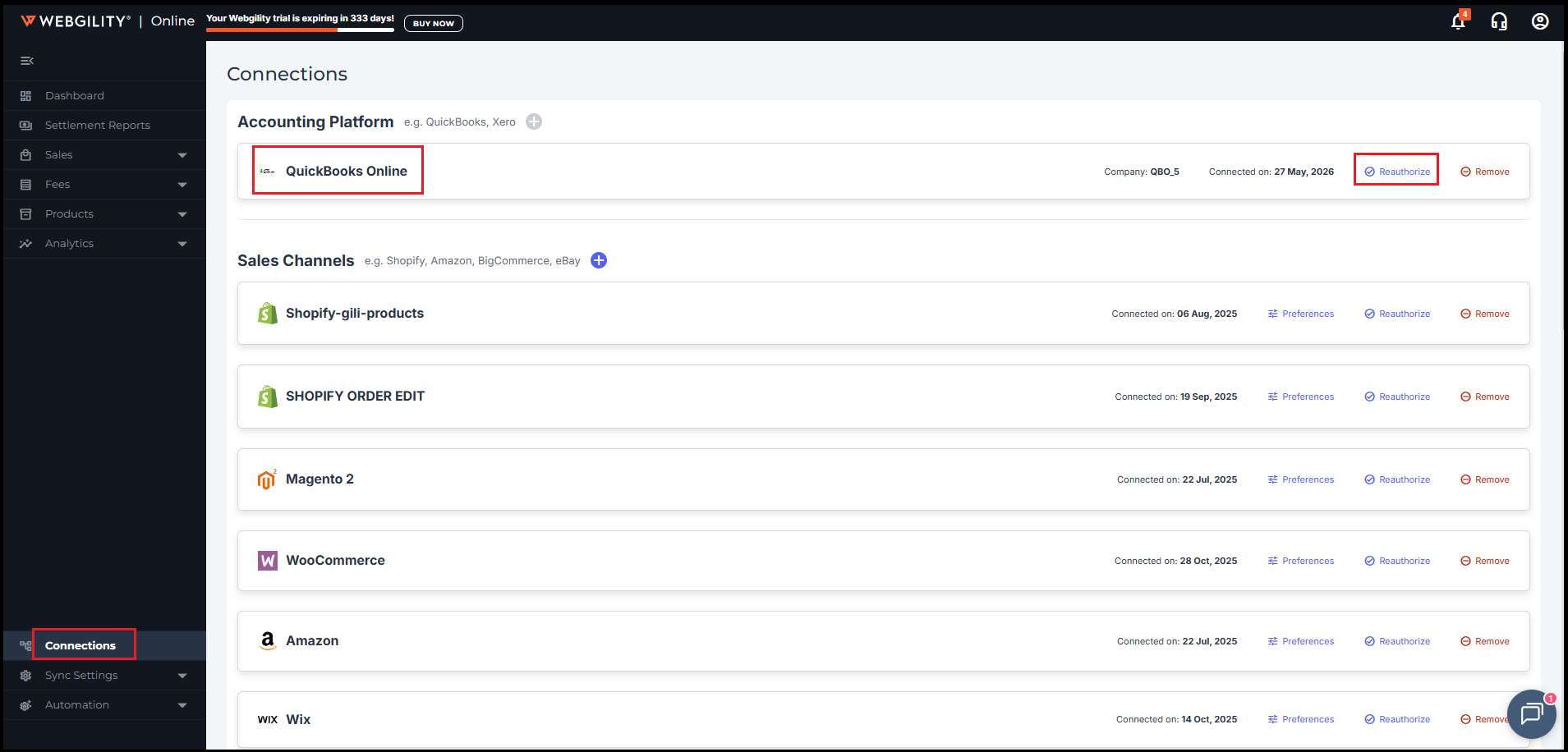
Log in to Webgility Online and go to Connections > Accounting Platform.
Step 2: Reauthorize QuickBooks Online
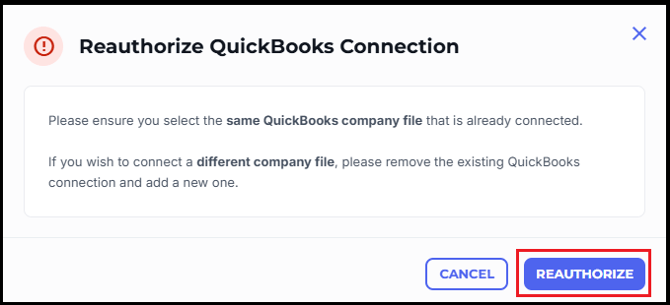
Find your QuickBooks Online connection and click Reauthorize. A confirmation notification appears — click Reauthorize again to accept it and continue.
Step 3: Sign in and select your company file
You'll be redirected to Intuit to sign in. Use an Admin account, and when prompted, select the same QuickBooks Online company file that was connected before. Follow the remaining on-screen prompts to finish authorizing Webgility Online's access.
Step 4: Confirm the connection is restored
Once the reconnection completes, the Accounting Platform card should show the connection as active again. If you had orders that failed to post while disconnected, try posting or re-processing them they should now go through normally.