
Overview
If you posted an order and saw a tax amount in QuickBooks Desktop that the marketplace already collected and remitted on your behalf, check the marketplace tax setting for that sales channel in Webgility Desktop.
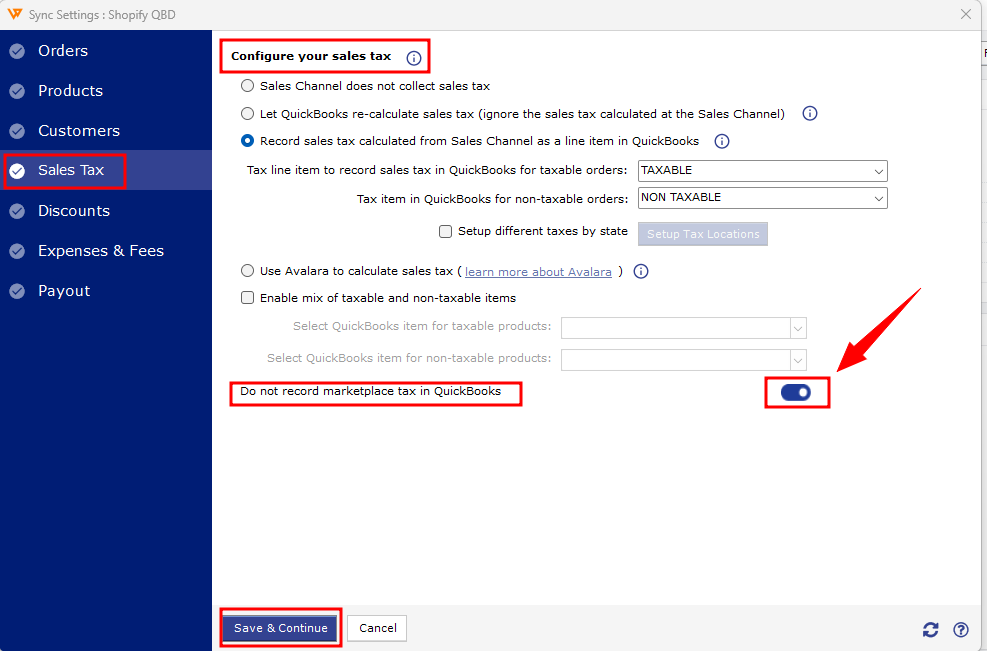
Update your sales tax settings- In Webgility Desktop, open Connections → Accounting → Sync Settings for the affected sales channel.
- Select Sales Tax.
- Under Configure Your Sales Tax, turn on Do not record marketplace tax in QuickBooks.
- Click Save & Continue.
If you have any questions or need more help, please contact our support team.