
Note: This feature is exclusive to Amazon channel users
Overview
Many Amazon international marketplaces—such as Canada, Mexico, the UK, and various European regions—operate under Marketplace Facilitator (MPF) tax laws. Under these regulations, Amazon collects and remits the applicable taxes directly to the government on behalf of the seller.
In traditional workflows, sellers often record these taxes within each order, even though Amazon has already handled the tax remittance. This can lead to:
- Duplicate tax entries in accounting
- Incorrect tax liability reporting
- Complex reconciliation for international Amazon Settlements
To streamline bookkeeping and prevent tax discrepancies, Webgility Desktop offers a setting that allows you to ignore tax on international Amazon orders, ensuring only relevant financial data is downloaded into QuickBooks.
What This Feature Does
By enabling the option “Do not download tax for international orders other than US”, Webgility Desktop will exclude tax amounts from all non-US Amazon marketplaces, including:
- Amazon Canada
- Amazon Mexico
- Amazon UK
- Amazon Europe marketplaces
- Other supported international Amazon regions
This ensures that tax already collected and paid by Amazon is not redundantly recorded in your books.
Benefits
- Prevents duplicate tax liabilities
- Simplifies reconciliation for international marketplace sales
- Keeps financial reports clean and accurate
- Reduces time spent adjusting or correcting tax records in QuickBooks
How the Feature Works
To enable the feature in Webgility Desktop navigate to Connections > Sales Channels > Settings > Download Settings > Download Options > check the box for “Do not download tax for international orders other than US” and then click on Save and Continue.
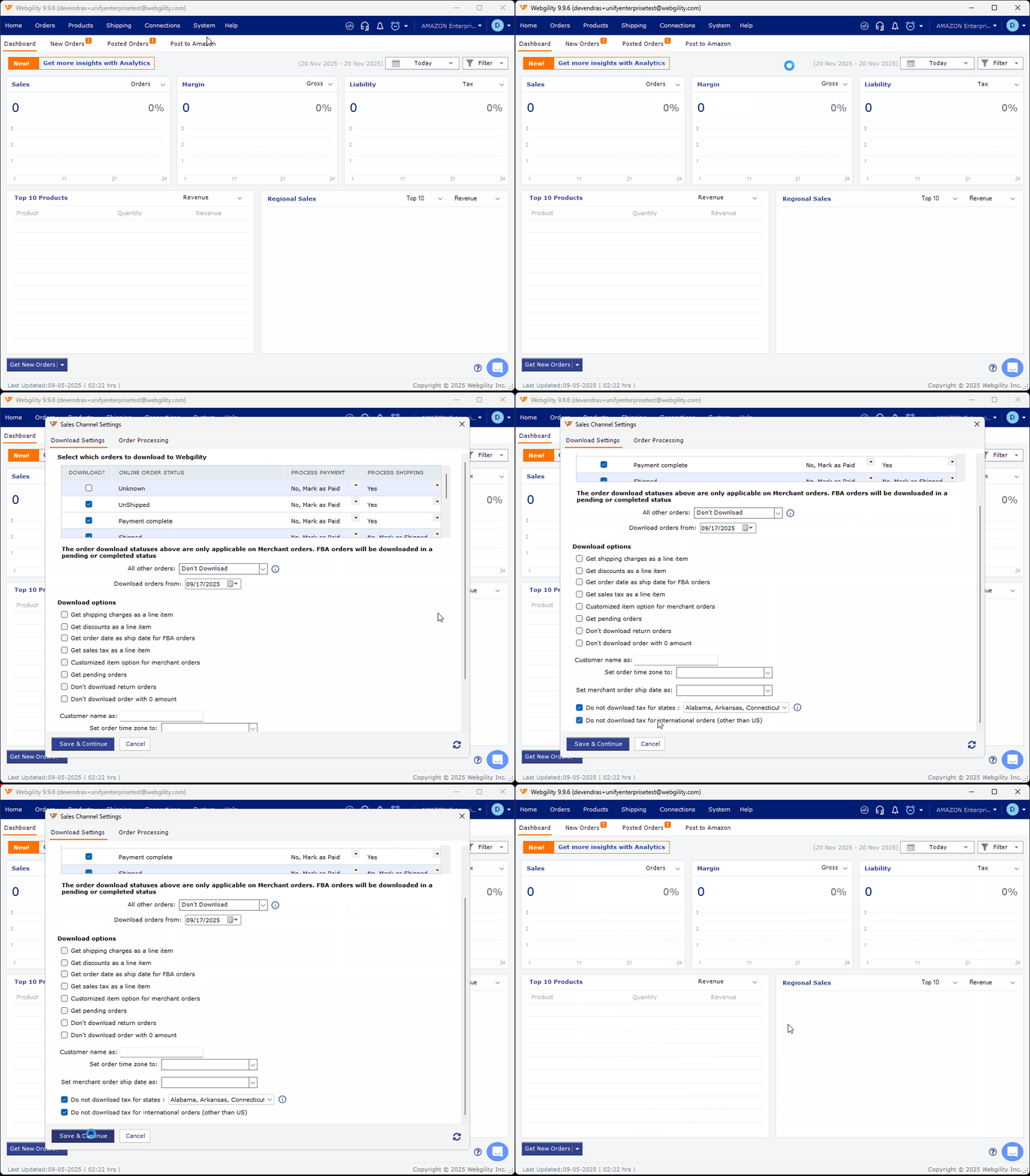
As soon as this is enabled, Webgility Desktop will stop downloading the tax for all the international orders settlement reports from the Amazon channel. To fix existing data, you will need to undo-sync and redownload both orders and settlements.
This ensures the Non-US Amazon Settlements and order totals will exclude tax and remain aligned for accurate reconciliation.
Availability
This feature is available under specific configurations:
Available For
- All Webgility Desktop users selling through Amazon and connected to QuickBooks Desktop, across all plan levels.
Not Available For
- Webgility Desktop users using a Consolidation Posting setup
- Webgility Desktop users integrated with QuickBooks Online or NetSuite (in any scenario)
When to Use This Setting
Enable this feature if:
- You sell on any Amazon international marketplace outside the US
- You want to avoid double-counting tax
- You need cleaner, more accurate accounting data for reconciling Amazon Settlements.