
If you're getting the following error while connecting the database from the add-on user, follow the steps below.
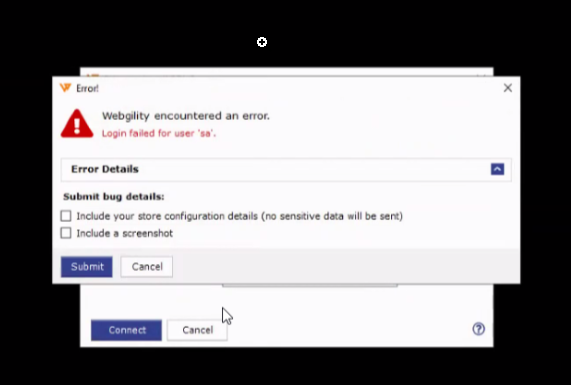
Webgility default SQL credentials. Every Webgility Desktop install ships with the same SQL Authentication defaults: Instance WEBGILITY or UNIFY, Username sa, Password Webgility2011. On the login screen, choose SQL Server Authentication and use those exact values before trying anything else.
Steps to follow:
-
Try restarting the SQL services first — many "Login failed for user 'sa'" cases clear on a service restart. Full walkthrough: Restart SQL Services.

Open Windows Services (
services.msc), then right-click SQL Server (WEBGILITY) and SQL Server Browser and choose Restart. Source: Restart SQL Services. -
Confirm the SQL instance name Webgility expects. Go to the computer where the SQL database is installed, or to a computer where Webgility is already working, and open
C:\Webgility\UnifyEnterprise\XML\ApiConfig.xmlin Notepad. Note the source name in the first line. Do not change any values in this file — close it without saving. -
On the Webgility Desktop login screen of the computer where you are facing the issue, choose SQL Server Authentication from the Authentication dropdown, re-enter Username
saand PasswordWebgility2011, and click Login. -
If login still fails, contact Webgility Support. The Support team needs to verify the
sapermissions in SQL Server Management Studio (SSMS) and confirm the credentials that were set during the original setup. It is also possible the SQL computer is running under Windows Authentication while the add-on machine needs SQL Authentication with the correct credentials — Support will validate this before making any change.