If you're looking for a feature available in a higher plan, you can upgrade your current Webgility Online plan to gain access to that feature.
For more information on various plans and their included features, please visit the Webgility Pricing page.
Steps to upgrade your plan:
1). Log into your Webgility Customer Portal by visiting portal.webgility.com
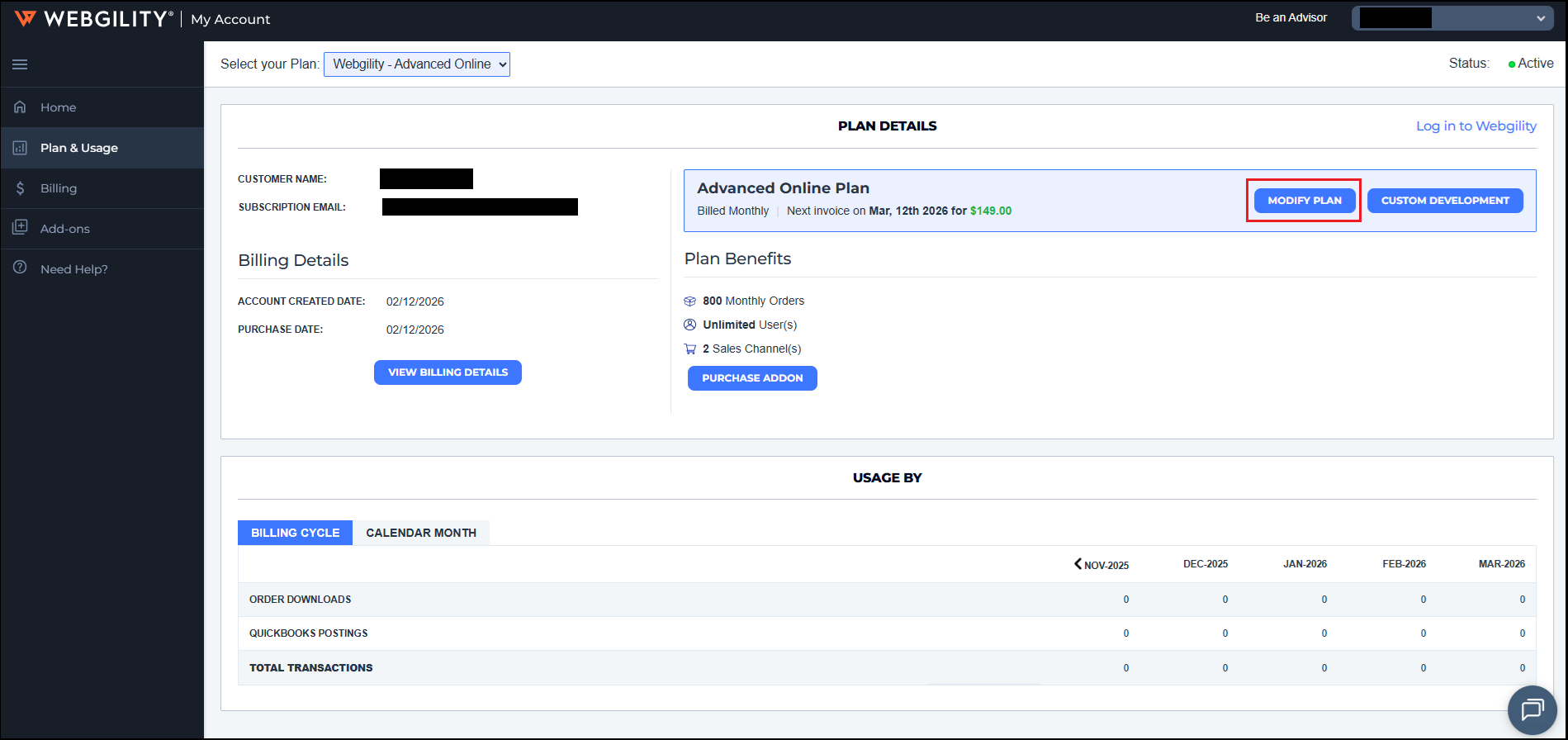
2). Navigate to Plan & Usage on the left-hand panel and then under PLAN DETAILS click on MODIFY PLAN.
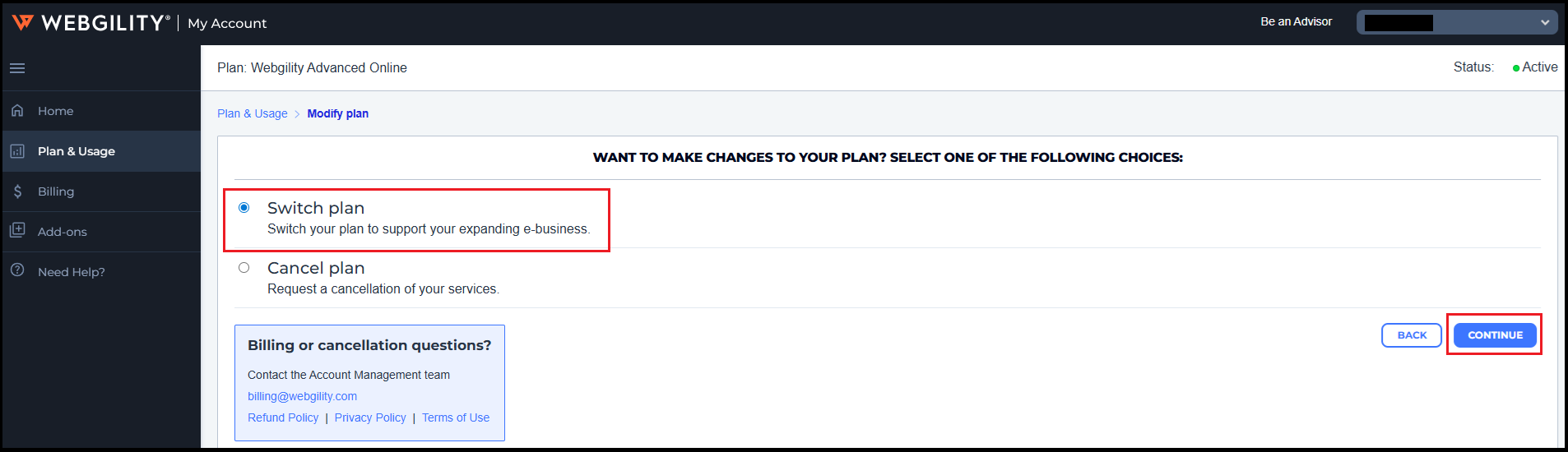
3). This will direct you to another page so select 'Switch Plan' and then click on CONTINUE.
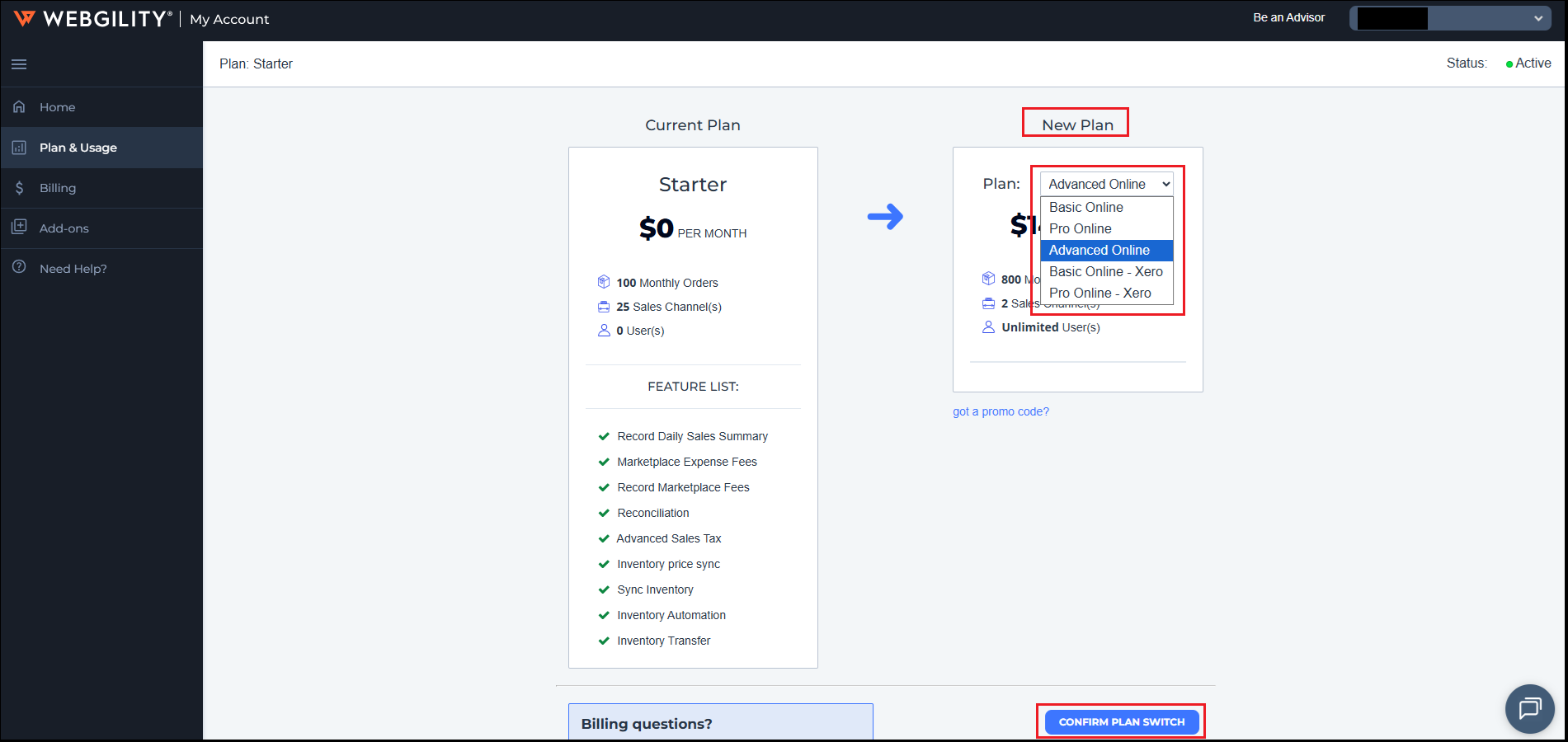
4.) This will again direct you to another page where you will need to a new plan from the drop down (ex. Advance Online) and then click on CONFIRM PLAN SWITCH.