
Overview
If a payout is stuck at Refund Posting with the error “Invoice is not paid yet,” the affected order may need to be refreshed before the payout can be posted successfully.
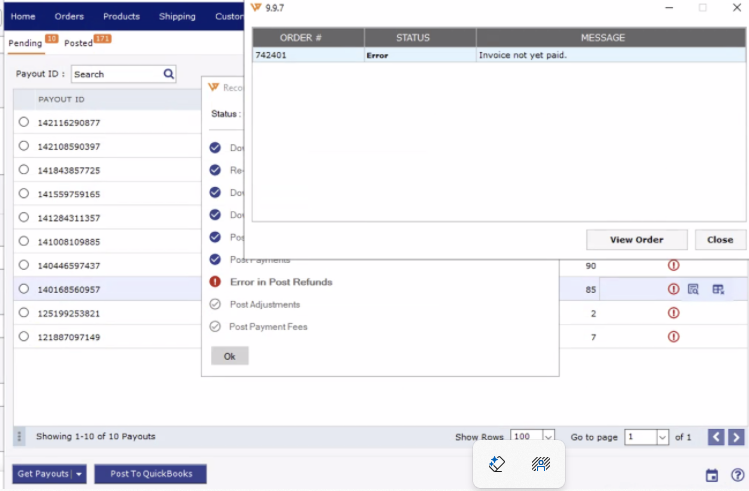
1. Identify the affected order
Open the affected payout in Webgility Desktop and note the order number shown in the error.
2. Unpost and redownload the order
Locate the affected order and Undo Sync to unpost it from QuickBooks.
Then redownload the order to refresh its information.
For detailed instructions, see:
- How to Unpost Transactions from Webgility Desktop with Undo Sync
- Order Re-download in Webgility Desktop
3. Post the order to QuickBooks
After the order is successfully redownloaded, post it to QuickBooks.
Then try posting the affected payout again.
4. If the issue persists, refresh the payout
If the payout still remains stuck:
- Unpost the affected payout.
- Redownload the payout.
- Try posting the payout again.
For more information, see Troubleshooting Payout Report Posting Errors in Webgility Desktop.
ImportantAlways unpost before redownloading an order or payout that has already been posted. This helps prevent duplicate transactions in QuickBooks.
If the issue continues after refreshing both the order and payout, contact Webgility Support with the affected order number, payout details, and error message.