
Error Message
“Post to NetSuite failed due to The country and state/province are mismatched, the country is AU and the state/province is Western Australia. Please enter a state/province that matches the country.”
Why Does This Happen?
While posting any order NetSuite validates the state or province entered in an address against the selected country. If the state/province value is not recognized or does not match NetSuite's predefined address values, the order may fail to post.
Steps to Resolve the Error
-
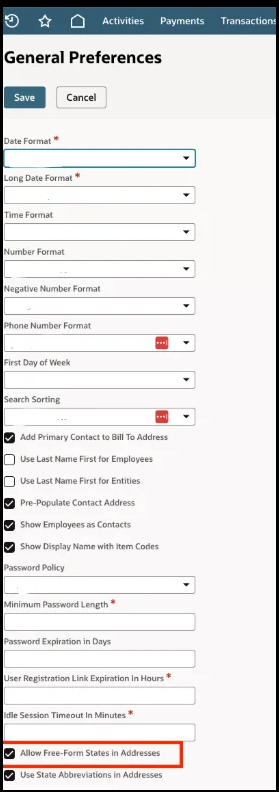
Log in to NetSuite and navigate to Setup> Company > General Preferences
-
Locate the Allow Free-Form States in Addresses checkbox and select it.
-
Save the updated preferences to apply the change.
- Navigate back to the Webgility Desktop applocation and retry posting the order.