
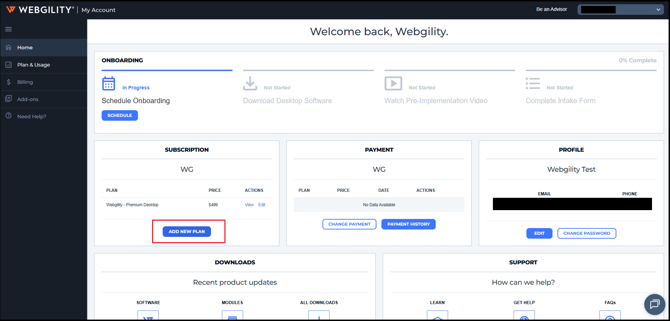
If you are an existing Webgility Desktop customer and wish to purchase a new plan then please access the customer portal and click on Add New Plan to sign up for a new plan under the same subscription email
-
Login to customer portal: https://portal.webgility.com/home.php
-
Click on Add New Plan under the home tab
-
It will redirect you to https://www.webgility.com/pricing
-
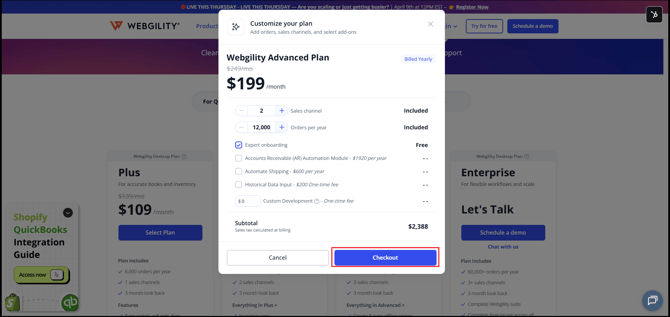
Choose a plan as per your requirement
-
Click on Checkout.
-
This will help you to purchase an additional plan.