
Root Cause
FedEx's current REST API no longer uses the Notify To dropdown to decide who gets emailed. Instead, FedEx sends a ship-alert email to every email address filled in on the shipment screen — Shipper Email, Recipient Email, Broker Email, and Other Email — independently of what Notify To shows. If a field has an email in it, that person gets notified. If the field is blank, no notification goes to that role. The Notify To dropdown itself is now cosmetic under the new API.
Solution Steps
-
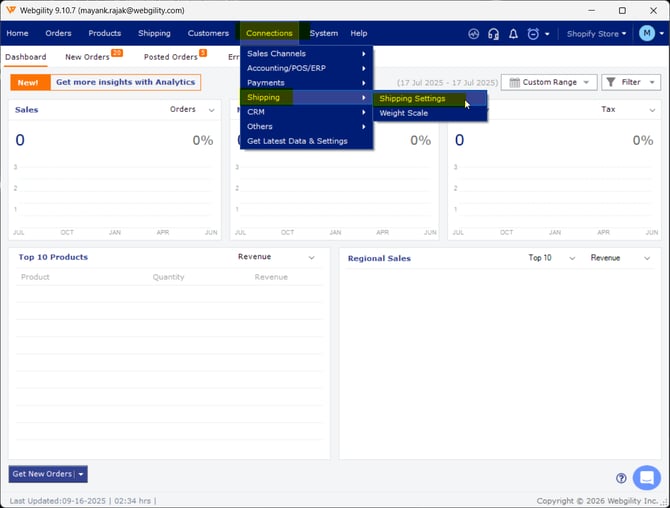
In Webgility Desktop go to Shipping then Shipping Settings.
-
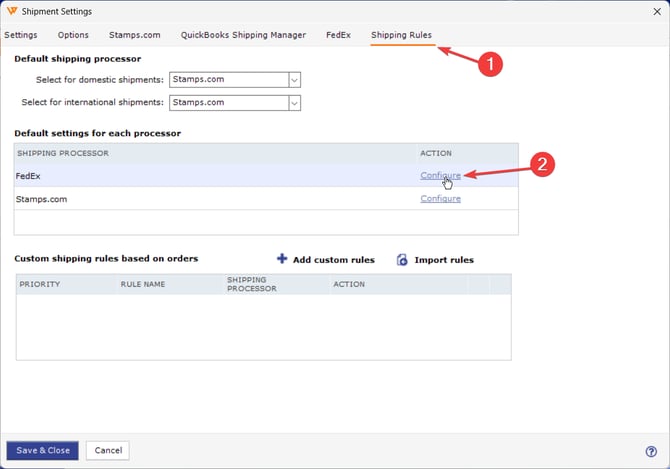
Go to Shipping Rules Tab, click on Configure for FedEx.
-
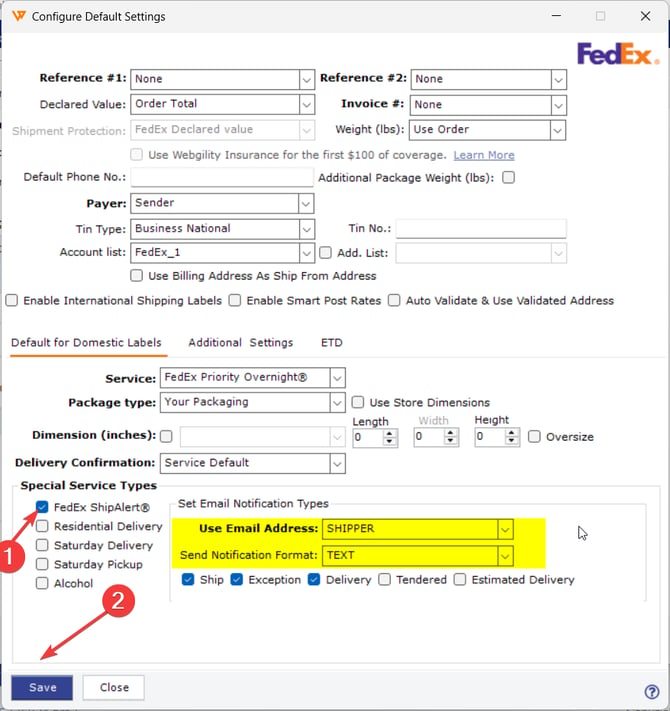
Enable FedEx ShipAlert option & select the correct email address & notifiction type.
-
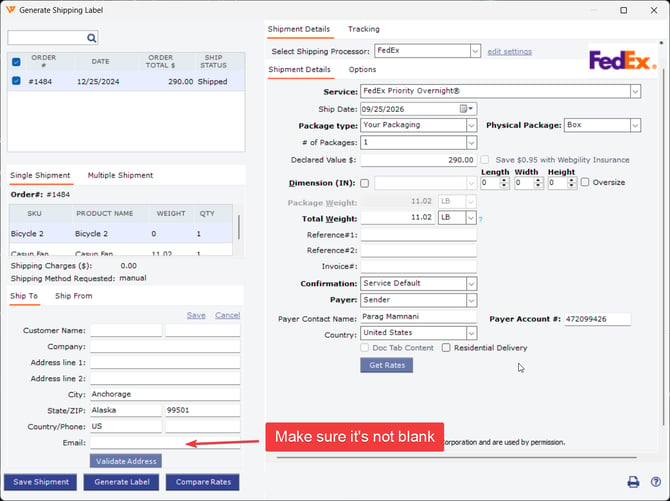
Process the shipment. FedEx sends the ship alert to every filled email field. If the recipient is not receiving the notification, confirm the recipient email address is present in the Recipient Email field before you generate the label.
-
A blank recipient field means no notification goes to the recipient regardless of what Notify To shows.
Feel Free to Reach out to us at support@webgility.com