
Note1: This article applies to only Amazon channel setup with Journal Entry
Error Message
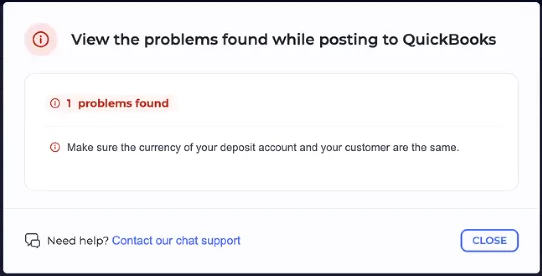
QuickBooks Online requires a valid account reference for each applicable line in a Journal Entry. If a required account mapping is missing or has not been saved correctly in Webgility Online, QuickBooks may reject the transaction.
In this case, the Other category under the Amazon.ca Journal Entry Payment Settings did not have a properly saved QuickBooks account mapping.
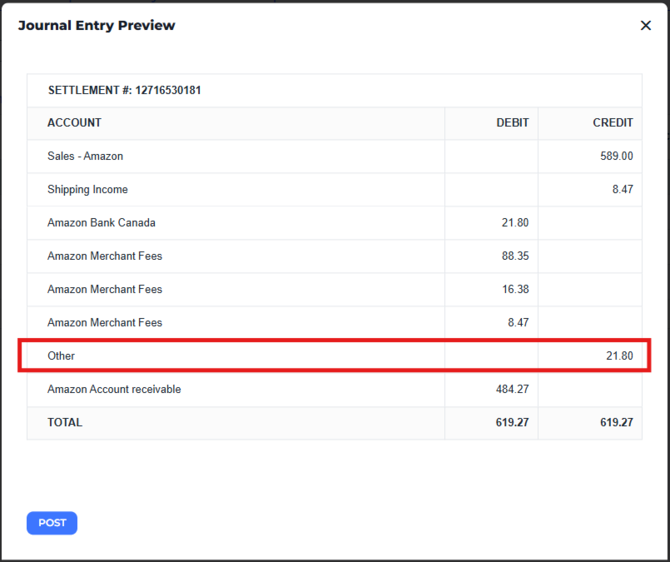
An account may appear selected in a dropdown without the required mapping having been saved. Therefore, explicitly selecting the appropriate account and saving the settings is an important troubleshooting step.
Follow these steps to review the account mapping for your Amazon.ca settlement.
-
Log in to Webgility Online.
-
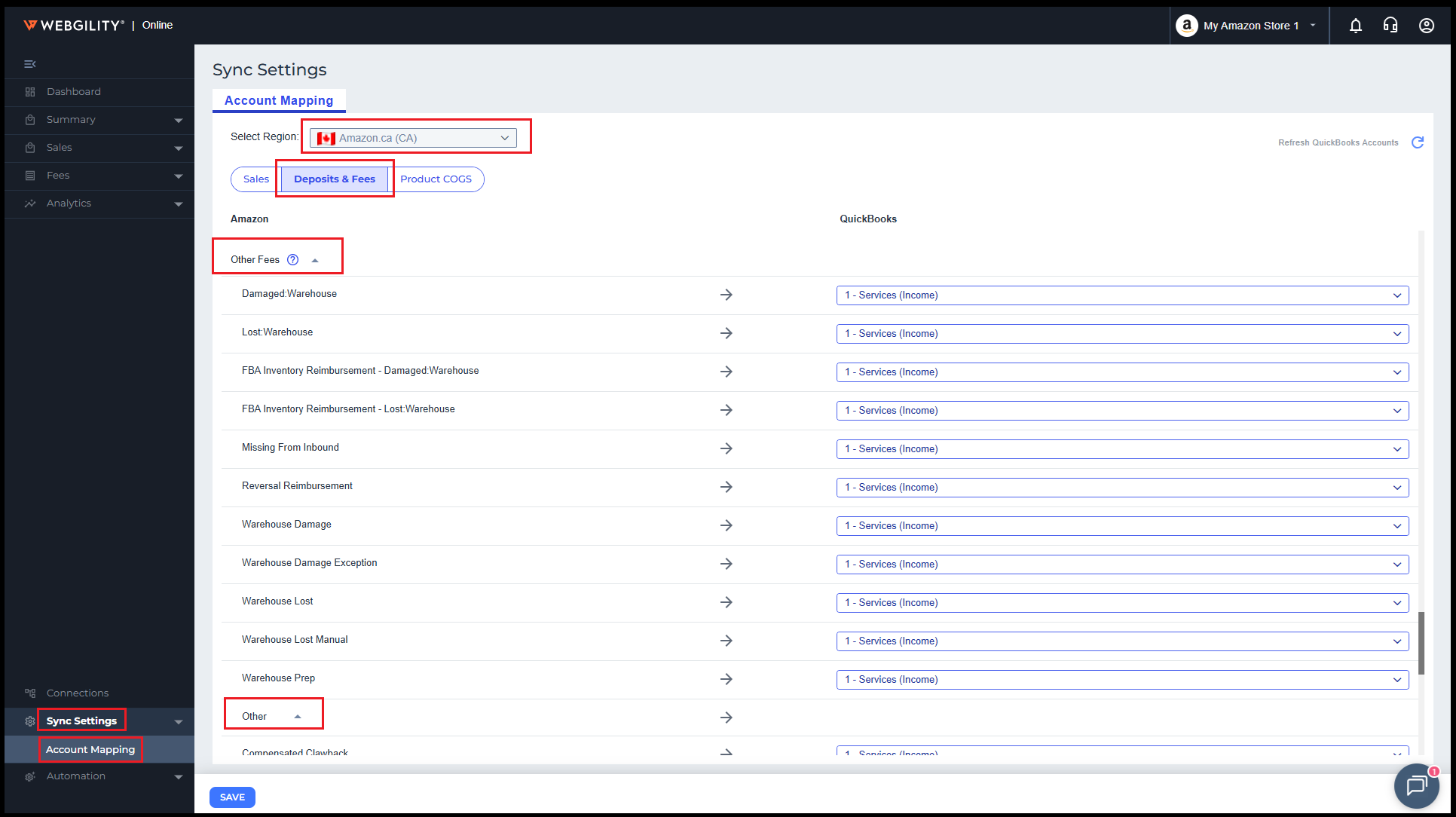
Navigate to Sync Settings > Account Mapping
-
Select the (Amazon.ca) substore.
-
Open Deposits and Fees.
-
Locate the Other section at the bottom of the page, under Other Fees.
-
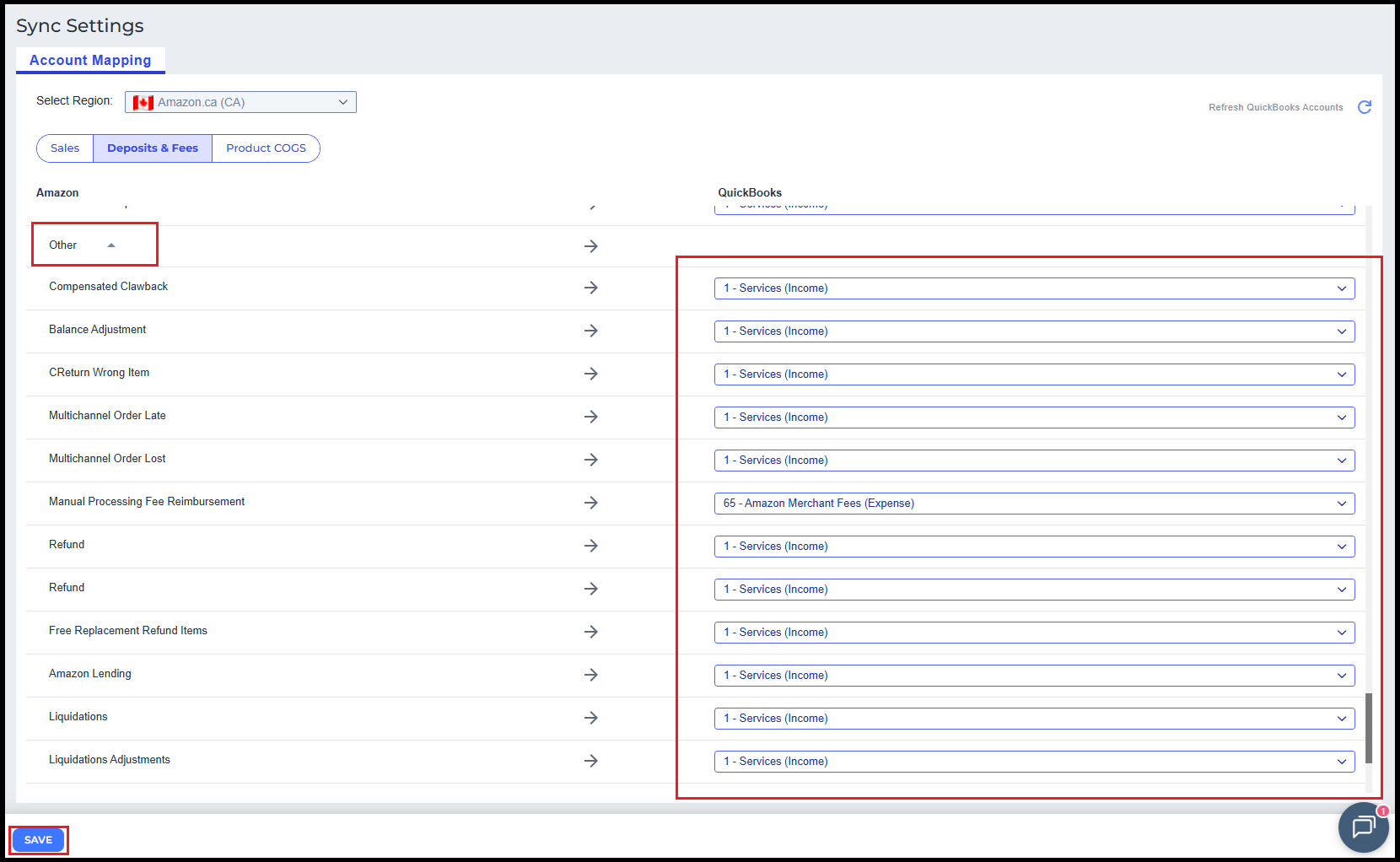
Explicitly select the appropriate QuickBooks account for the Other category. For the Amazon.ca configuration described in this article, select an appropriate Canadian-dollar (CAD) account. Consult your accountant if you are unsure which account to use.
-
Review the Other Transactions section on the same page. Assign appropriate QuickBooks accounts to any required rows that have blank mappings.
-
Click Save to apply the changes.
-
Retry posting the settlement to QuickBooks Online.
Note2: Review the account mappings carefully before saving. The appropriate account depends on the transaction type and your accounting configuration.