Quick tips to identify which Webgility Online plan you are using. There are two methods to identify your current plan with Webgility Online application
Method 1: Check on the Webgility Customer Portal
-
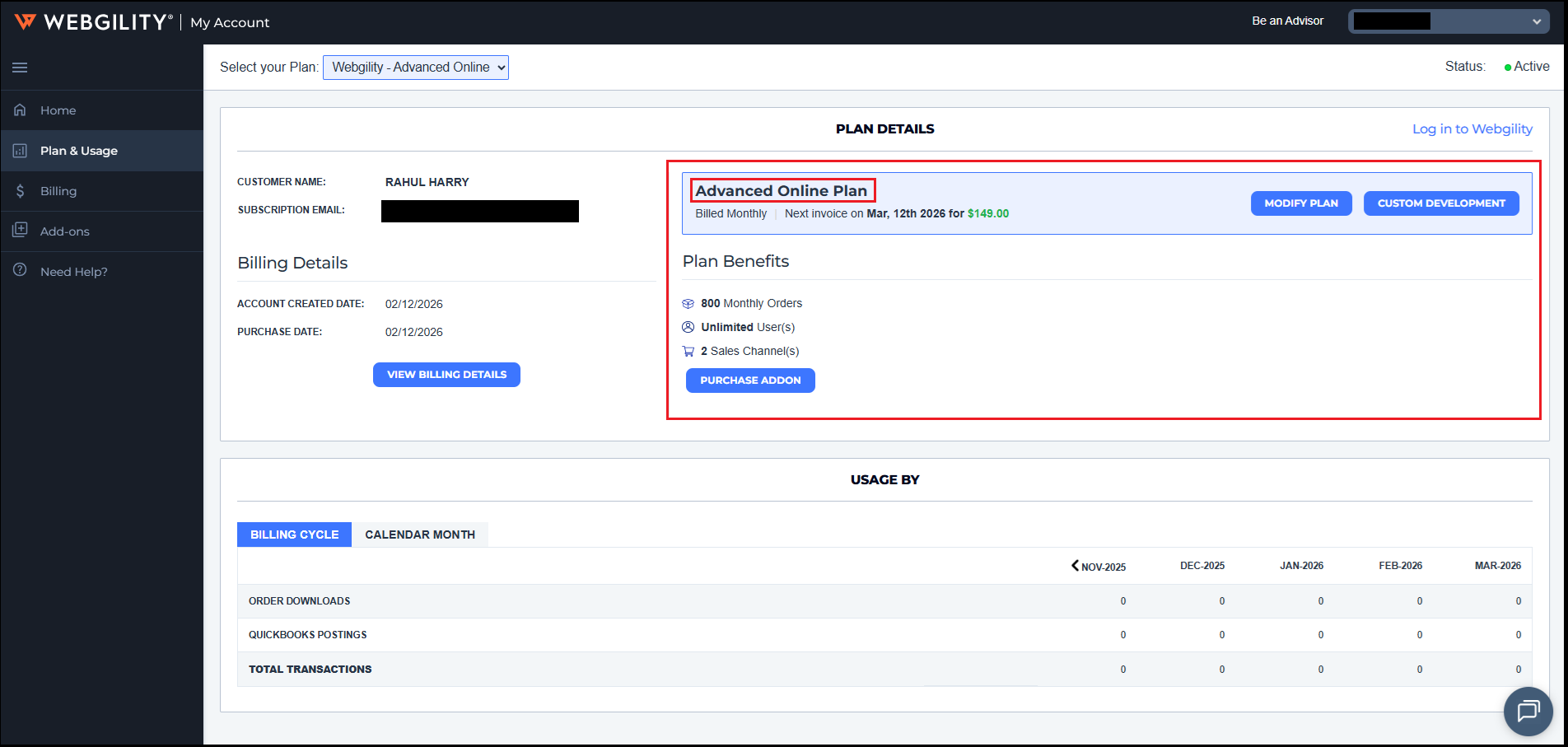
Login to portal.webgility.com to access your Webgility Portal Account
-
Click on Plan & Usage and check your current plan details.
Method 2: Check from the Webgility Online Application
Note: Ensure that you use the email address associated with your account.
-
Go to my.webgility.com to access your Webgility Online application.
-
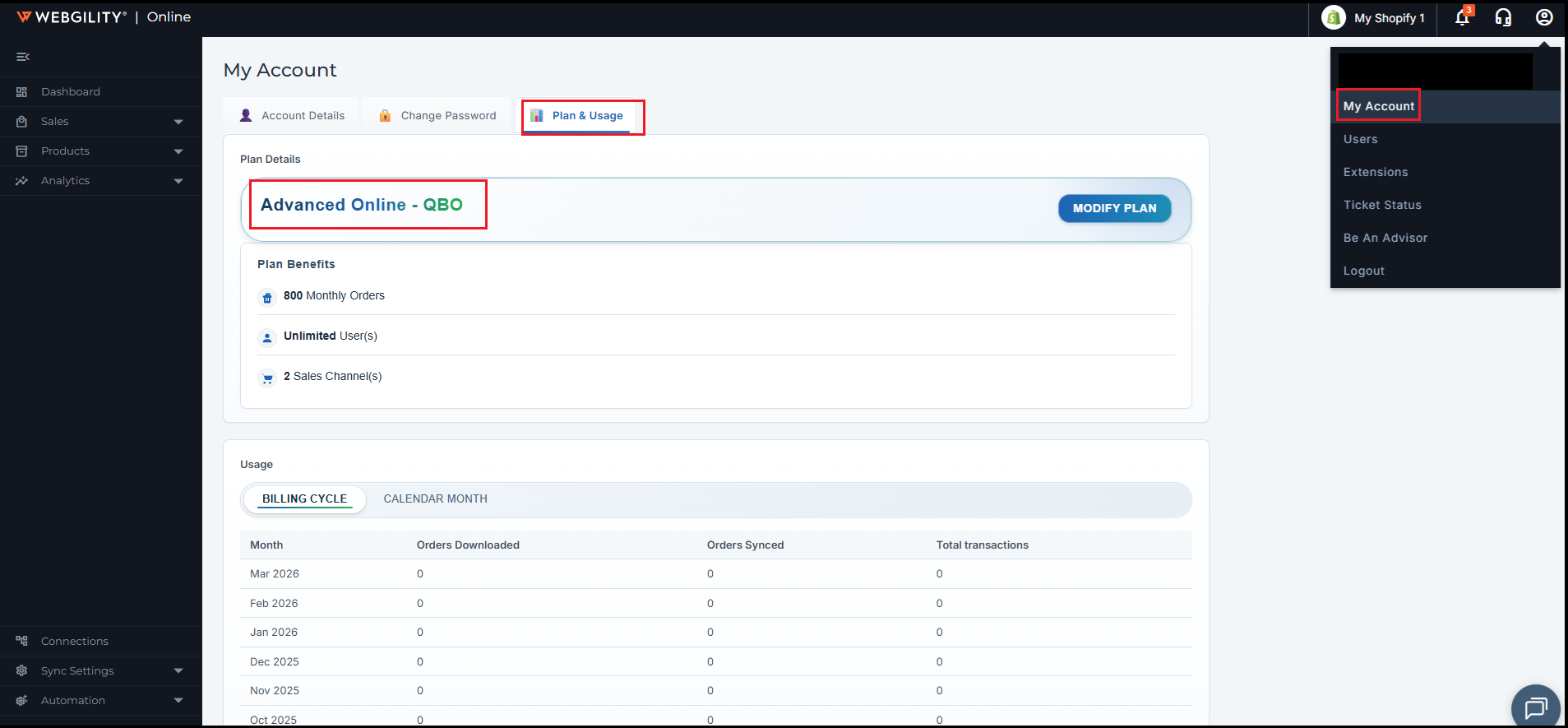
Click on the user icon in to top right corner and then click on My Account.
-
It will open My Account page inside Webgility Online application itself and then you can navigate to Plan & Usage tab where it will show you the current plan you are running for Webgility Online application and it related details.