
Skip to content
  • There are no suggestions because the search field is empty.

How to Create an addon user for Webgility Online via Webgility Customer Portal account

This article helps Webgility Online users create an Add-On user via Webgility Portal. It provides step-by-step instructions for logging in, navigating to the Add-ons section, entering new user credentials, and completing the required email verification process.

Log In:

1. Go to the URL https://portal.webgility.com and log in with your registered email ID and password.
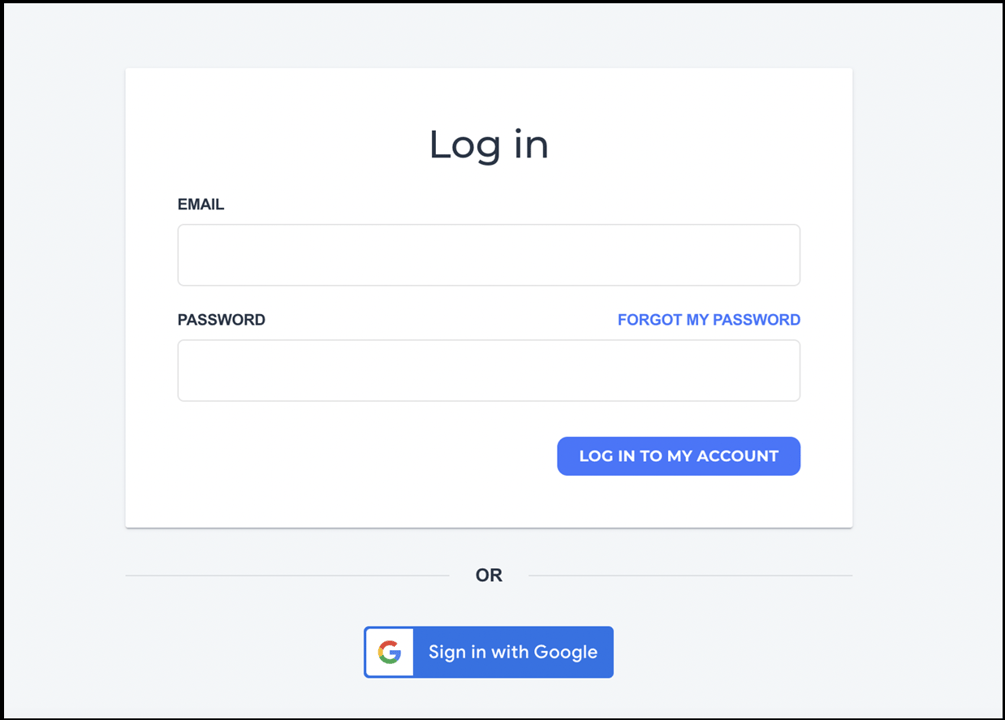
https://helpcenter.webgility.com/hs-fs/hubfs/image-png-Mar-02-2026-03-26-58-8547-PM.png?width=1005&height=720&name=image-png-Mar-02-2026-03-26-58-8547-PM.png

Create User:

2. Click on the Add-ons option on the left panel
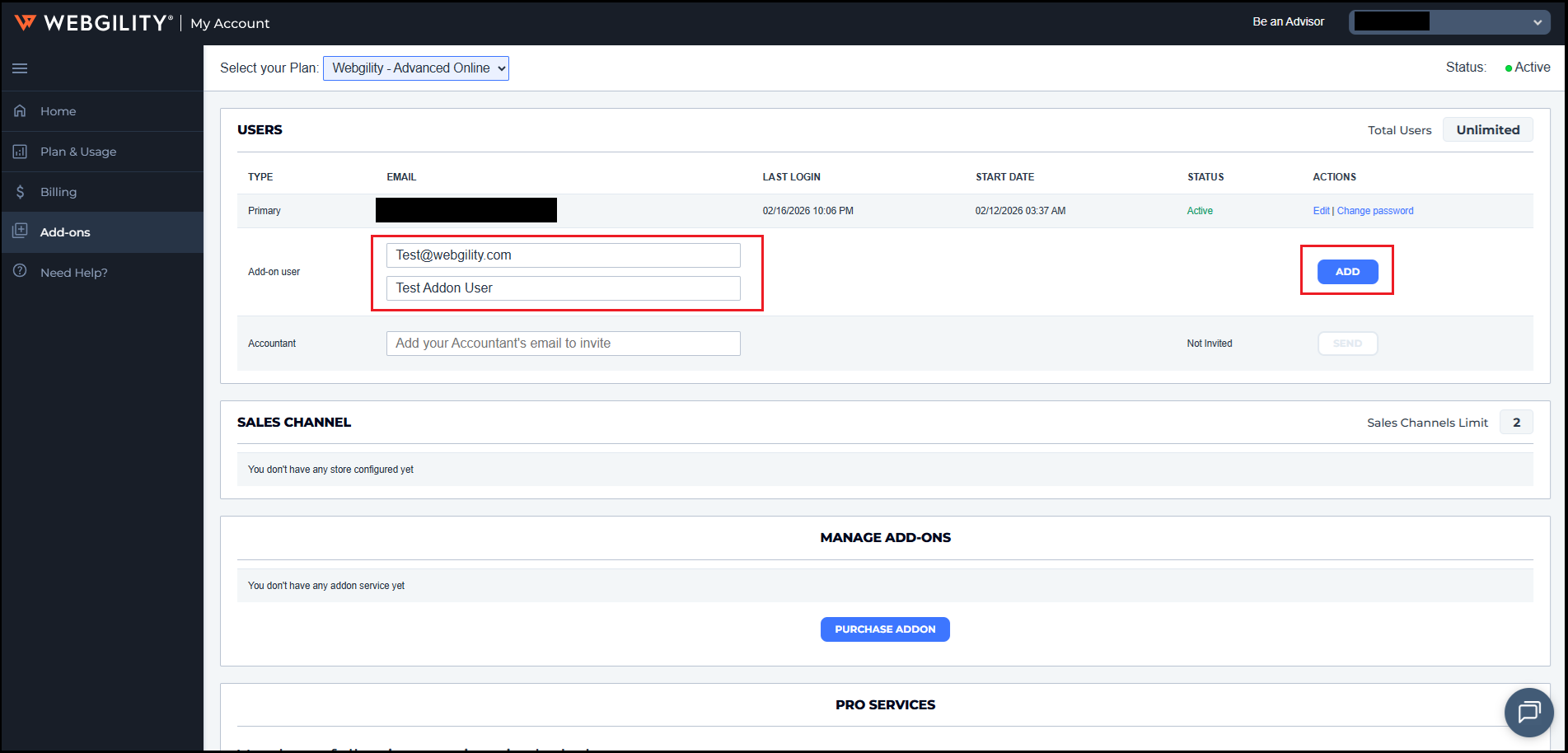

3. Update the add-on user's email along with its name. Once done it will activate an ADD button available in the righthand side so click on it to complete the step.

4. A verification email will be sent to that Add-on user’s email address. Confirm the verification email and the new user will be created under the User list. Once done then you can start using add-on user.