
Follow these steps to connect Webgility Online with TikTok Shop.
Step 1: Select TikTok Shop as your sales channel
Go to Connections. Click the blue plus sign. Select TikTok Shop as shown in the screenshot below.
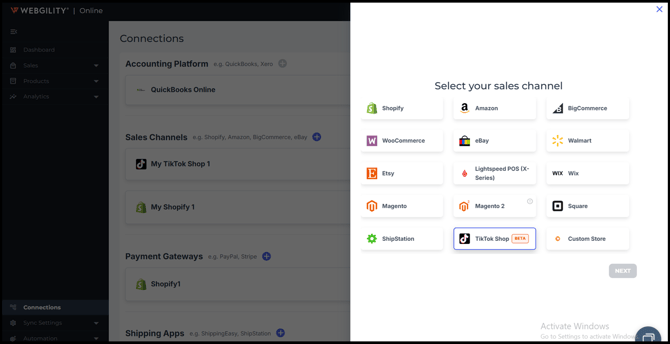
Note: TikTok Shop is currently in Beta. You will see a BETA badge next to the channel name.
Step 2: Confirm your time zone
In the following window, confirm the Time Zone you would like your orders to import under, then click Next.
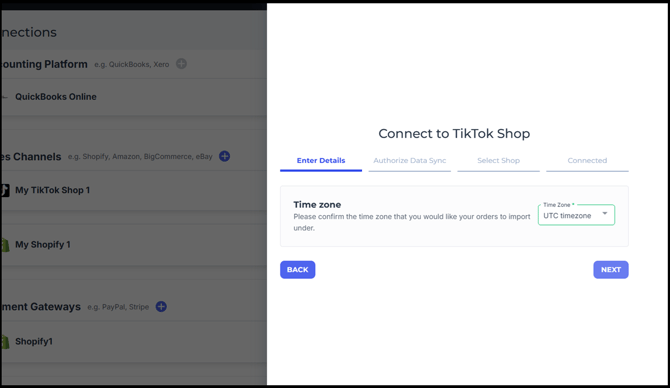
Step 3: Authorize data sync
On the Authorize Data Sync step, click Next. A TikTok Seller Center window will open in your browser.
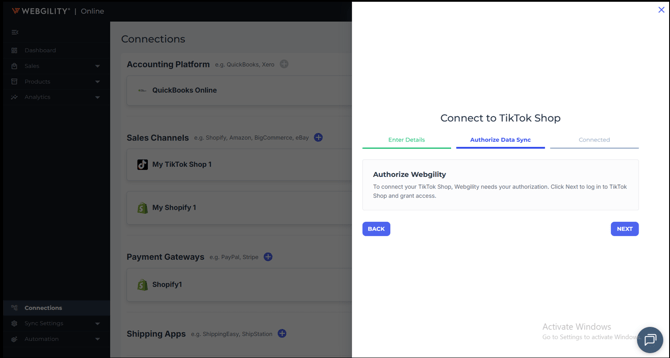
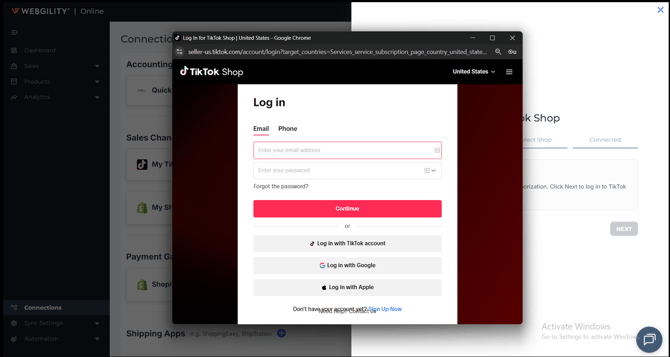
Note: If you are not logged in to TikTok Seller Center, you will see a Log in screen. Enter your TikTok Seller Center email and password and click Continue. If you are already logged in, this screen is skipped and you will proceed directly to Step 4.
Step 4: Confirm the shop and install
In the TikTok Seller Center window, confirm the Authorized shop you want to connect. Under Renew options, select Re-authorize only. Enter your contact email address and click Confirm to install.
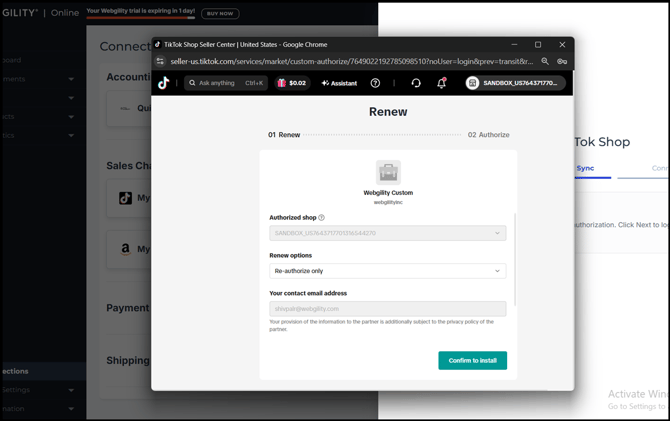
Step 5: Review and authorize permissions
TikTok will display an Authorize screen listing the data permissions being granted to Webgility (orders, products, inventory, finance, logistics, and shipping information). Review the permissions, check the acknowledgement box, and click Authorize.
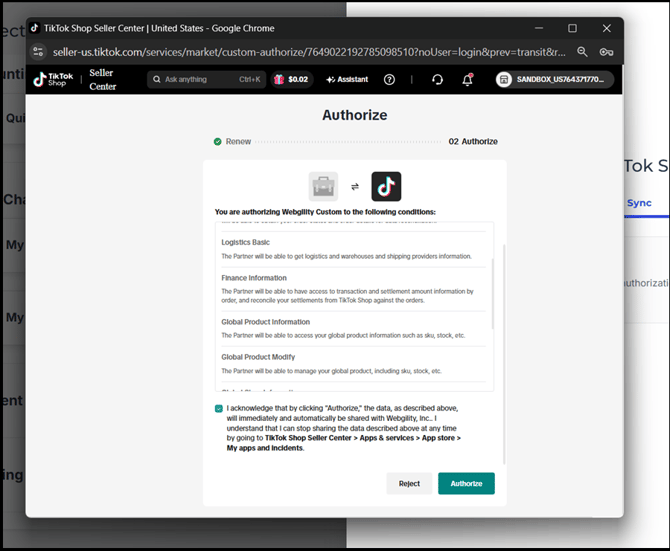
Step 6: Confirm authorization
You will see an Authorized confirmation screen. Click Done or wait for the automatic redirect back to Webgility Online.
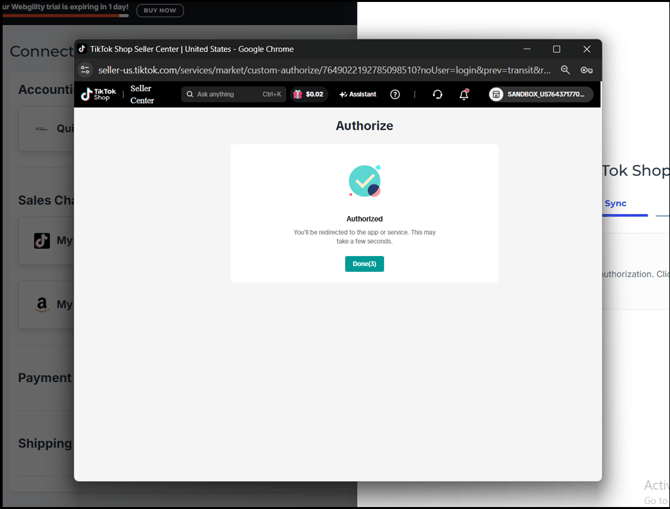
Step 7: Finish
Webgility Online will display a Connected to TikTok Shop Sales Channel confirmation. Click Finish. Your TikTok Shop is now connected.
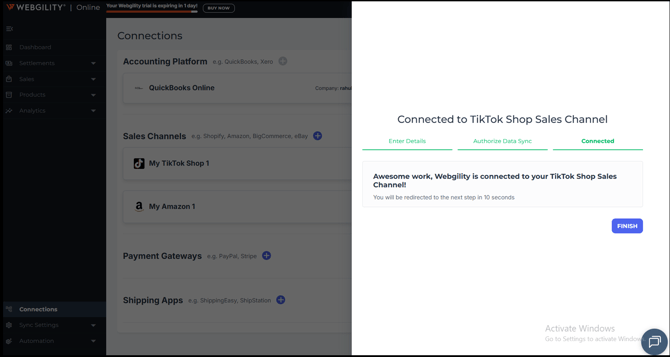
What's Included in the TikTok Shop Integration
The current TikTok Shop integration in Webgility Online supports the following features:
|
Feature |
Direction |
|
Order Syncing |
From TikTok Shop to QuickBooks Online |
|
Refunds Syncing |
From TikTok Shop to QuickBooks Online |
|
Product Sync |
From TikTok Shop to QuickBooks Online |
|
Inventory Sync |
From TikTok Shop to QuickBooks Online and vice versa |
|
Price Sync |
From TikTok Shop to QuickBooks Online and vice versa |