
Use these steps when you are connecting a Walmart Canada channel to Webgility Online for the first time, or when a Walmart Canada connection has failed with the No matching scope found message because the login flow was used.
Steps to Connect Walmart Canada
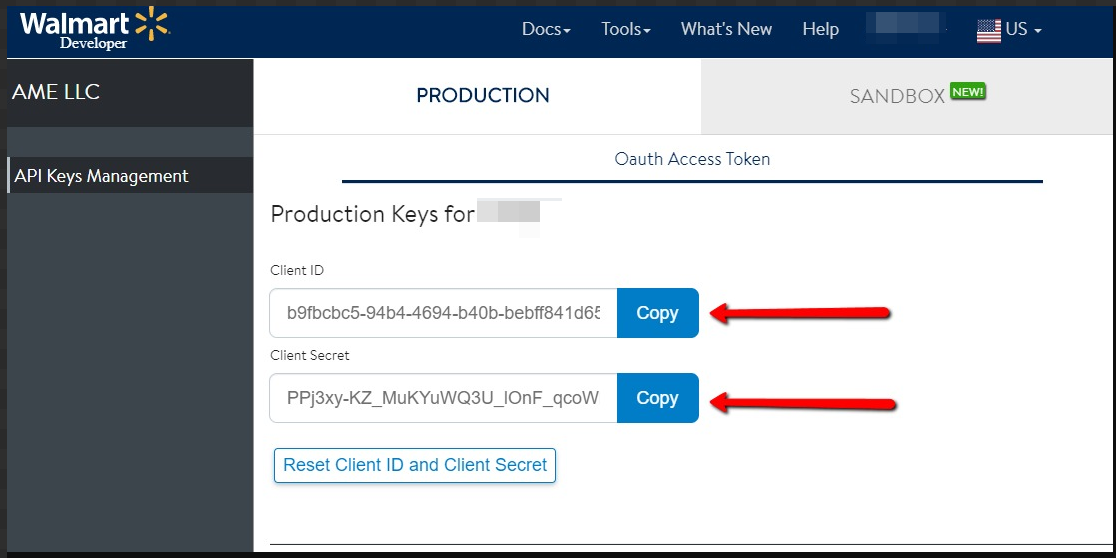
Step 1: Sign in to the Walmart Developer Portal at developer.walmart.com with your Walmart Canada seller credentials, and follow Walmart's own Delegated Access guide to generate a Client ID and Client Secret for Webgility (Walmart's Delegated Access authorization guide).
Step 2: Copy the generated Client ID and Client Secret somewhere safe — the Client Secret is shown only once on the Walmart Developer Portal.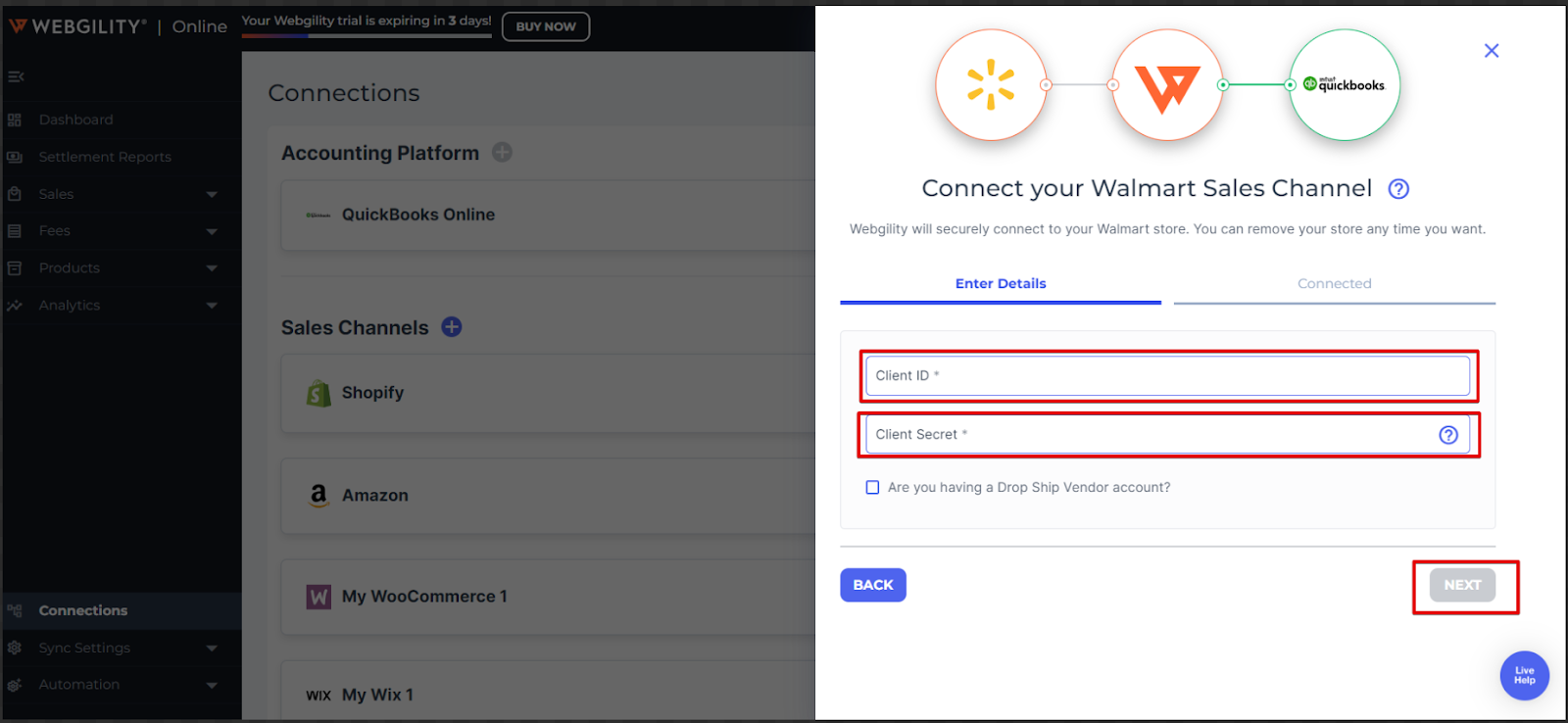
Step 3: In Webgility Online, click Add New Sales Channel, pick Walmart Canada as the channel type, give the channel a name, paste the Client ID and Client Secret into the connection fields, and click Save.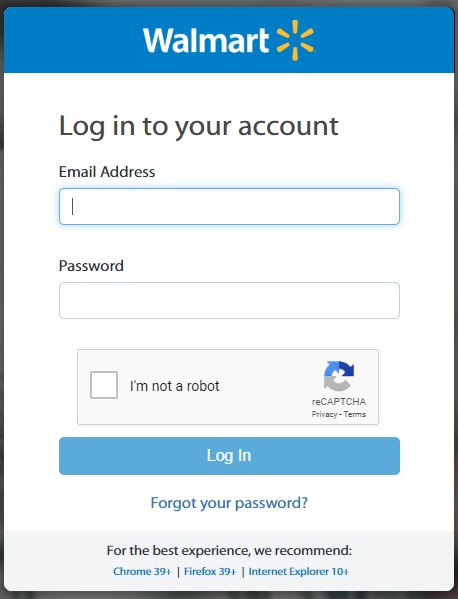
Step 4: Wait for the connection test to confirm success, then open the channel's preferences and configure order download, item mapping, and posting settings the same way you do for other Webgility Online sales channels.
Once you have pasted the API keys into Webgility Online, click "Connect.”.
Note: Refund download for Walmart Canada is enabled on your store shortly after the first connection. If refunds do not start flowing within a week of connecting, email Webgility Support with your subscriber ID and the Walmart Canada store name.
Caution: Keep the Walmart Developer Portal sign-in details (email, password, and the device Walmart's verification codes land on) somewhere your bookkeeper or operations team can reach, because the Client Secret cannot be re-viewed later and generating a new one invalidates the connection in Webgility Online.