
Problem Description
You are trying to post an Amazon or other channel settlement report to QuickBooks and it fails with an error naming an order that is in Ignored status. The affected order sits in the Ignored tab even though you did not manually ignore it.
Root Cause
Webgility cannot post a settlement if the underlying orders are in the Ignored tab.
In the case of Amazon, if a partial payment is received for an order, Amazon includes that payment in the settlement report even though the order status remains Pending on Amazon.
Since Webgility is not configured to download Pending orders, it forcefully downloads these Pending orders to ensure that all orders associated with payments included in the settlement report are posted and the payments are applied correctly.
Orders with a Pending status are downloaded to the Ignored tab. Webgility does not post Ignored orders automatically, allowing you to review them first.
Until you move these orders back to the New Orders tab, the settlement posting will continue to fail.
Solution Steps
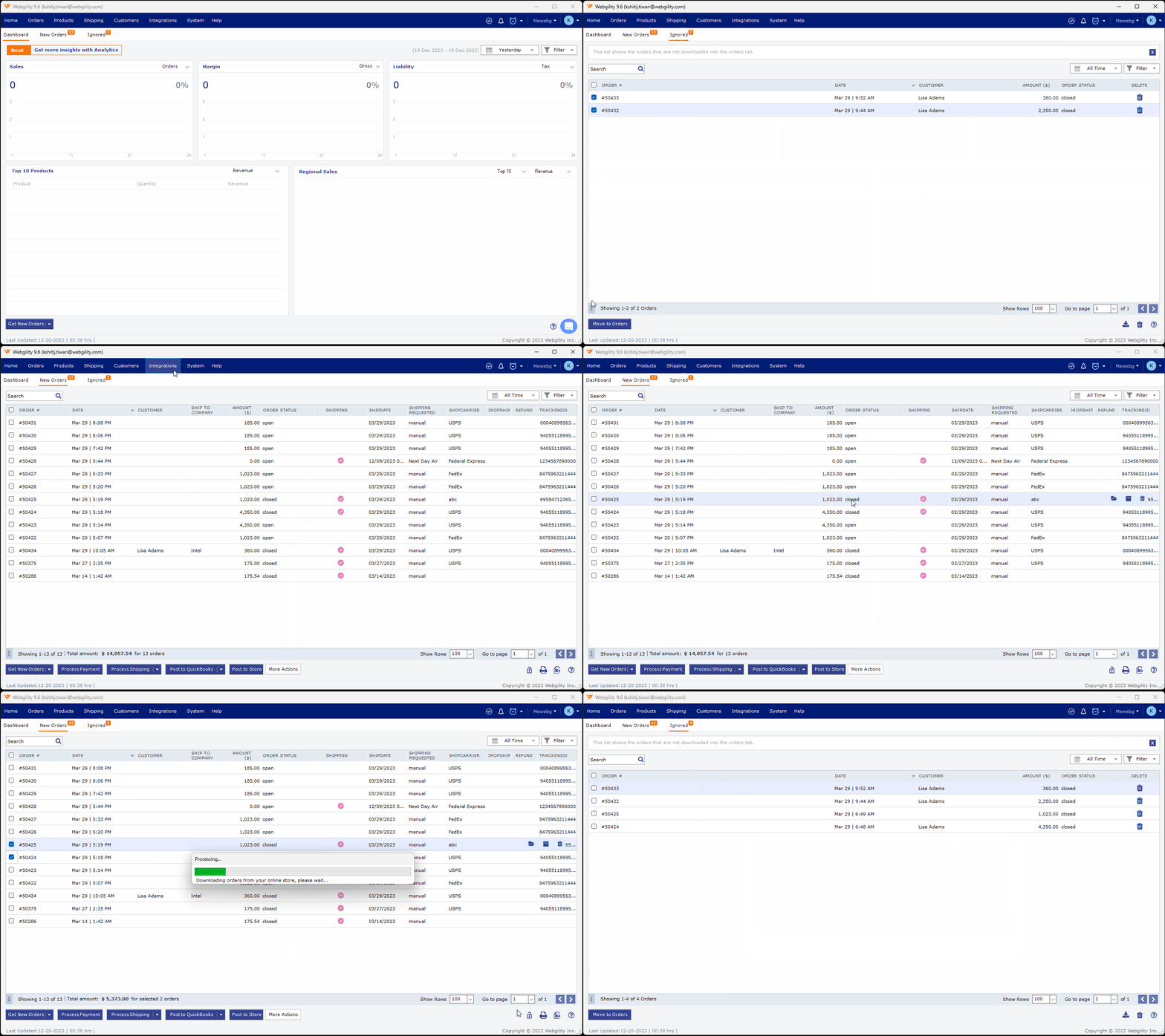
Step 1: Navigate to Home page, where you see the orders lised in the New Order, Posted and Ignored tab(number of tabs you see for orders depend on how you handle the orders) and switch to the Ignored tab. The error message from the failed post names the affected order — locate it in this list.
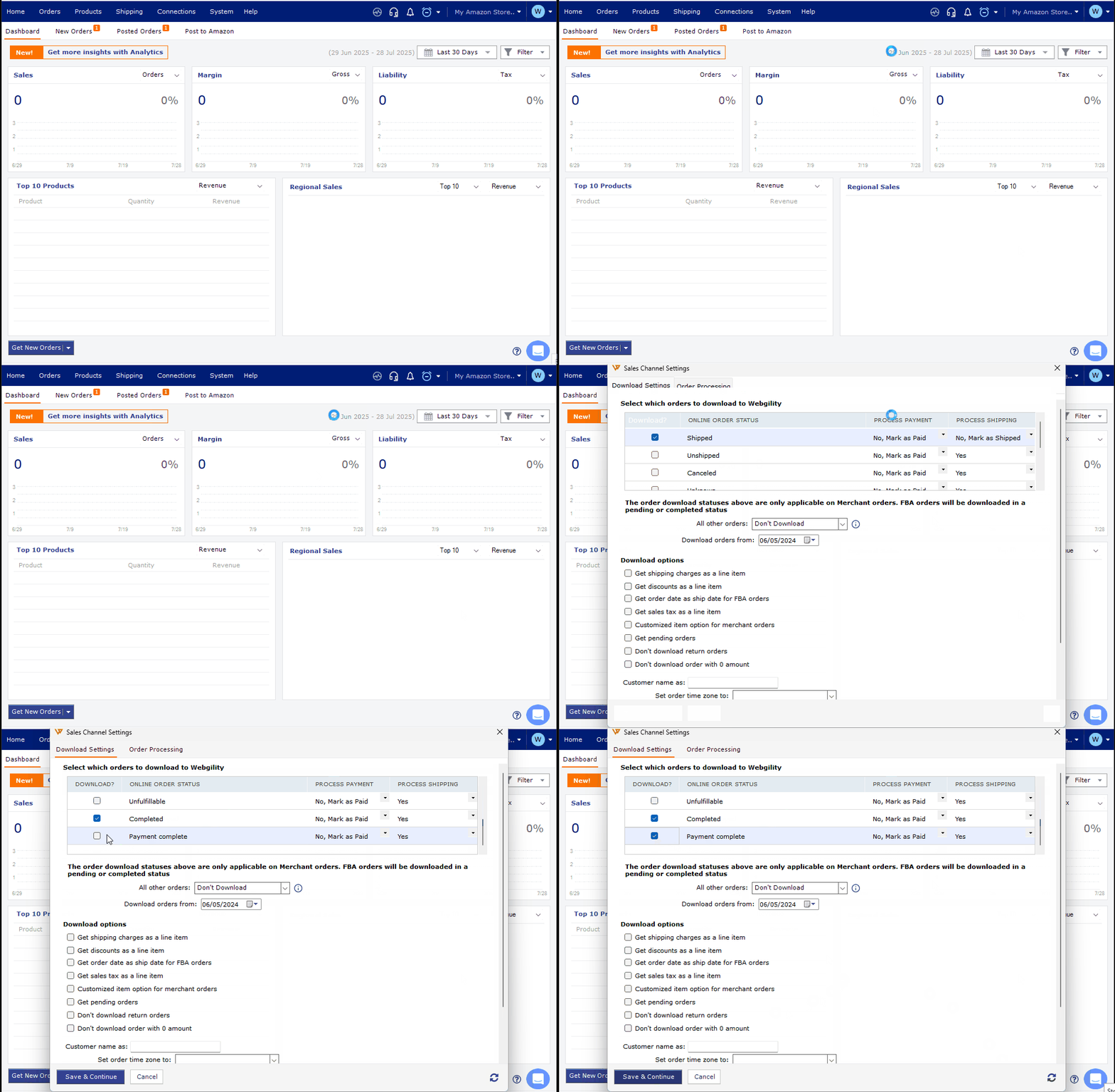
Step 2: Check the order's current channel-side status (for example Pending or On-Hold). If your business allows posting orders in that status, add that status to your Order Download Settings so Webgility stops routing them to Ignored.
Step 3: Right-click the order and choose the option to move it out of Ignored — the order returns to the New Order tab. Retry posting the settlement report.
Important Note
If the affected order is genuinely meant to stay ignored (for example a canceled order you do not want posted), the settlement will keep failing until that order's channel-side status changes. In that case, wait for the channel to update the order's status before retrying the settlement post.
Further Assistance
If the settlement still fails after the order is moved out of Ignored, contact Webgility Support with the settlement report ID and the affected order number so Support can trace the block.
If you need any further assistance, please contact Webgility Support. We’ll be happy to help.