
Overview
This guide helps in resolving issues where the FedEx One Rate option does not appear under Get Rates while processing shipments in Webgility Desktop.
Issue Description
When shipping an order through FedEx Direct, the FedEx One Rate option is missing from the available shipping rates, preventing users from selecting the expected flat-rate shipping service.
Cause
The issue may be related to the FedEx shipping configuration or API settings required to retrieve One Rate options.
Resolution Steps
- Open Webgility Desktop and navigate to the order you want to ship.
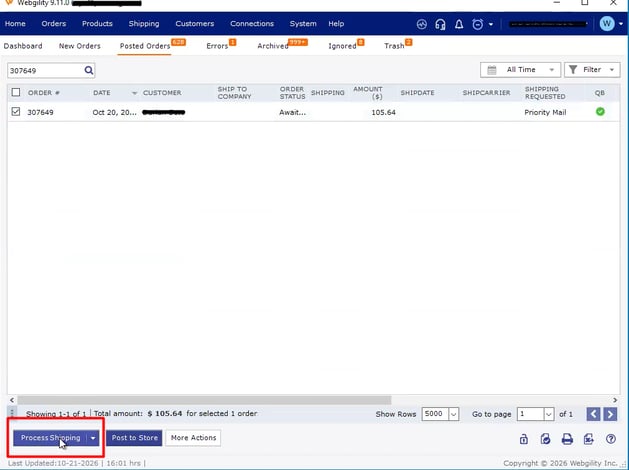
- Open an order which you want to ship and click on process shipping
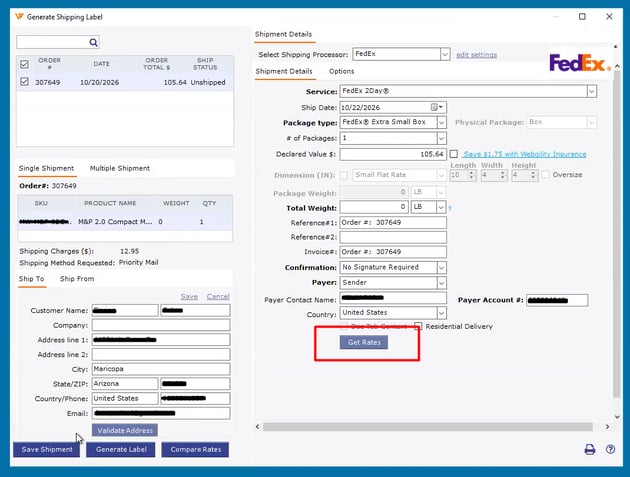
- Enter the required shipping details, including the carrier, package weight, dimensions, and package type, then click Get Rates.
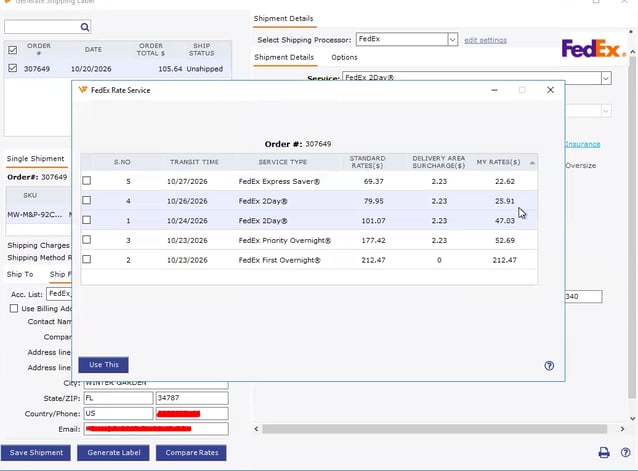
- Review the available FedEx services and check whether FedEx One Rate is listed.
- If FedEx One Rate is missing, open the Edit Settings page and verify that your FedEx account is connected and your shipping settings are configured correctly.
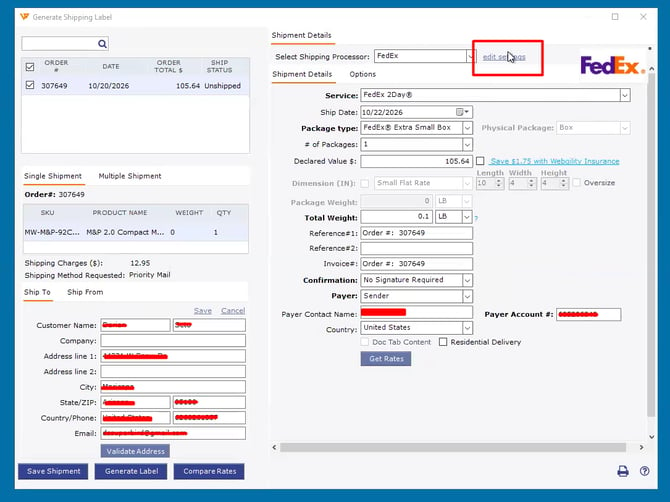
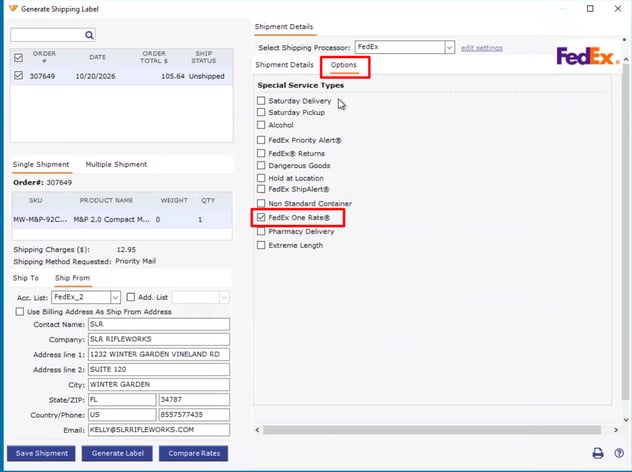
- If the option still does not appear, go to Options and verify that FedEx One Rate is selected.
Expected Result
FedEx One Rate appears under Get Rates, allowing you to select the appropriate service for eligible shipments.
Still Need Help?
If FedEx One Rate remains unavailable after verifying the configuration, contact Webgility Support for further investigation.