
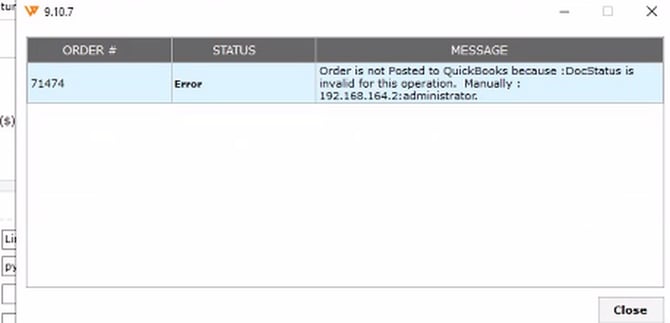
When attempting to post an order from Webgility to QuickBooks Desktop, the order fails to post and the following error message is displayed in the Order Status window:
"Order is not Posted to QuickBooks because :DocStatus is invalid for this operation."
The order remains in an unposted or error state in Webgility and does not sync as expected into QuickBooks Desktop.
Root Cause
This error occurs when an order has already been committed on Avalara prior to being posted to QuickBooks via Webgility Desktop.
Because Avalara locks transactions once they are committed, it prevents modifications or status changes required during the QuickBooks posting process. As a result, Webgility cannot complete the order posting operation.
Resolution Steps:
Follow these steps to uncommit the order and complete the posting process:
- Log In to Avalara
- Sign in to your Avalara AvaTax account.
- Search for and locate the transaction/order generating the error.
- Uncommit the Order
- Change the status of the order from Committed to Uncommitted.
- Post Order to QuickBooks
- Open Webgility Desktop.
- Navigate to the Orders.
- Select the affected order and click Post to QuickBooks