
Overview
Use these steps to disable marketplace tax recording in Webgility Desktop. The setting is in the sales tax configuration for your connected sales channel.
Steps:-
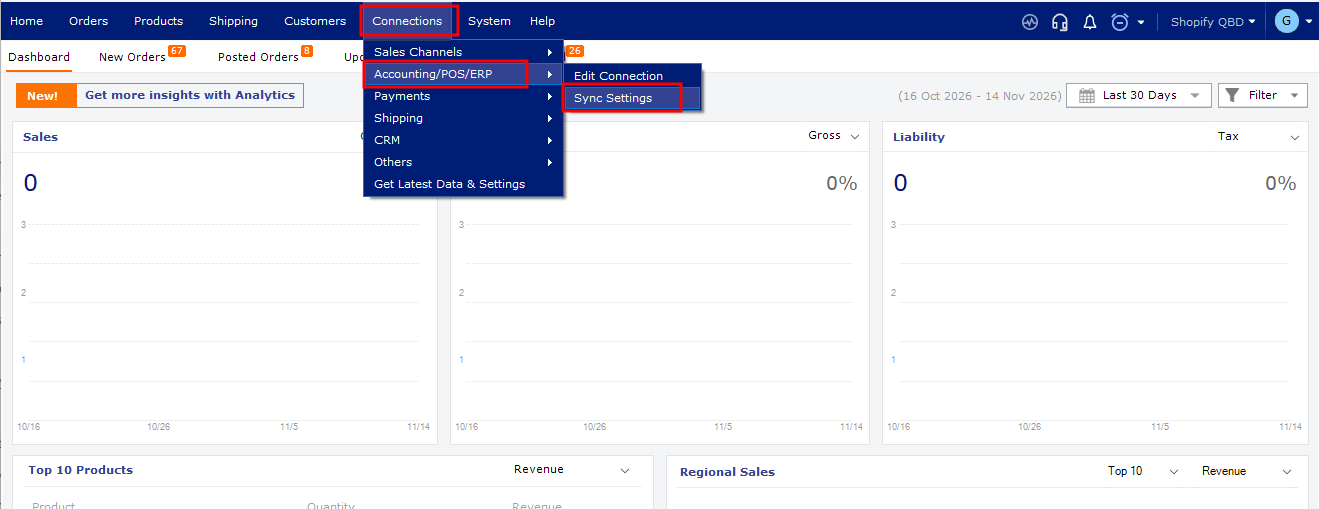
- In Webgility Desktop, go to Connection > Accounting > Sync Settings.
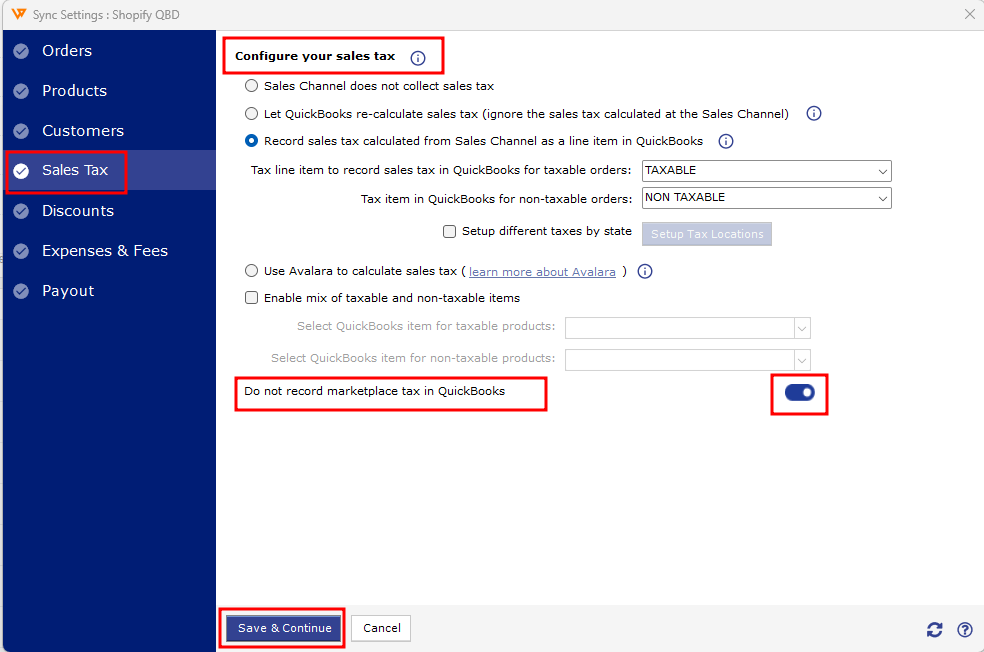
- Select Sales Tax.
- Under Configure Your Sales Tax, turn off Do not record marketplace tax in QuickBooks.
- Click Save & Continue.
For more information about marketplace facilitator taxes in Webgility Desktop.
If you have any questions or need more help, please get in touch with our support team.